

Step-by-Step Guide
Step 1: Log in to HubSpot
Sign in to your HubSpot account using your login credentials. Make sure you have the required permissions to access Contact or Company records and use installed apps.
Step 2: Verify HelloSend Installation
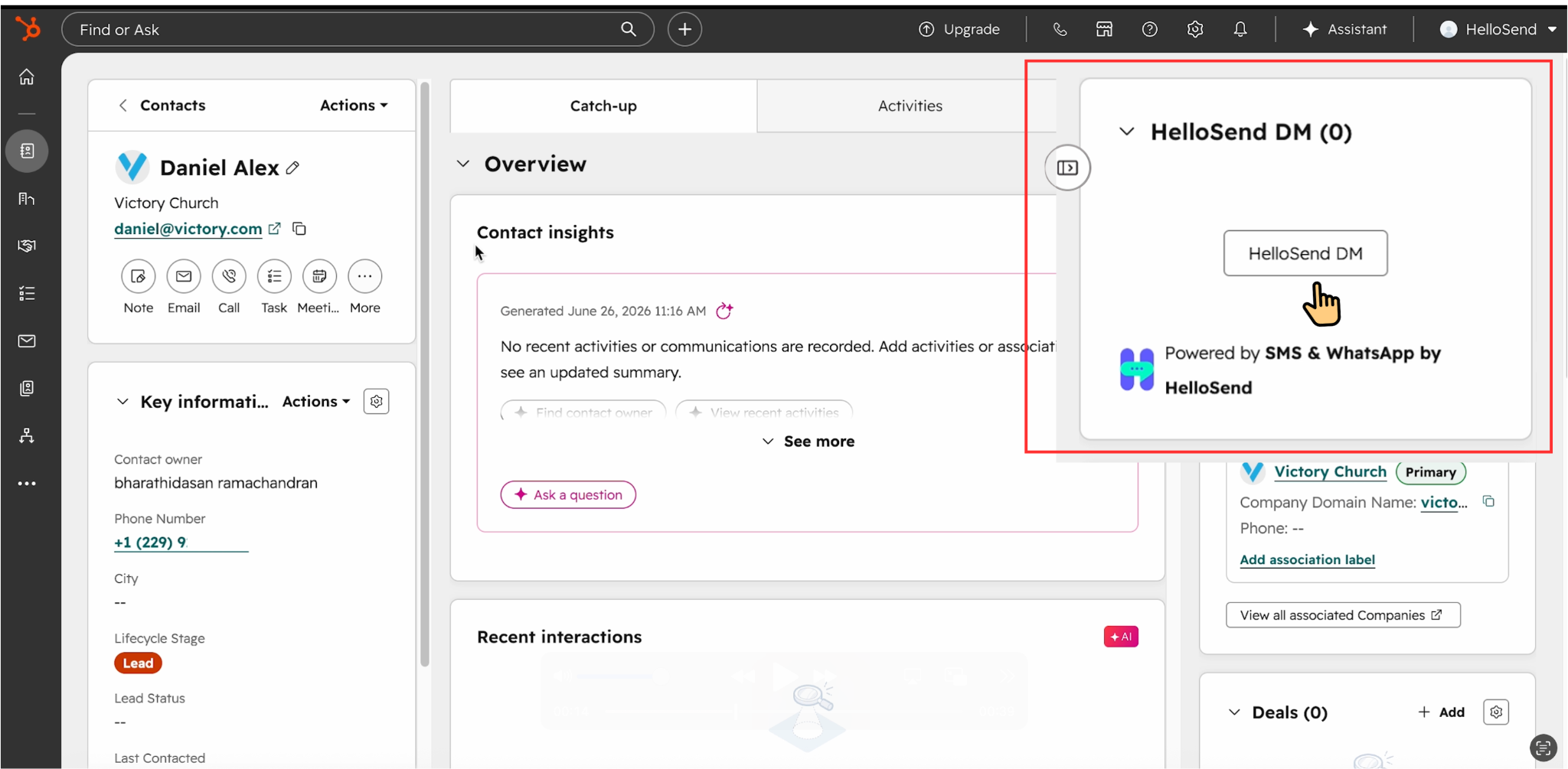
Before sending a message, make sure the HelloSend app is installed and connected to your HubSpot account. Once connected, the HelloSend DM widget will be available inside your records.
Step 3: Open a Contact or Company Record
Go to the HubSpot Contact or Company record you want to message. HelloSend will use the phone number details available in the selected record.
Step 4: Add the HelloSend DM Widget (If Not Visible)
If the HelloSend DM widget is not visible in the right-hand sidebar, follow these steps to add it to the record:
- Open the relevant Contact or Company record.
- At the top of the right-hand sidebar, click Customize or Add.
- Click the + button and select Card Library.
- Search for HelloSend DM.
- Click Add Card.
- Refresh the record page. The HelloSend DM widget should now appear in the right-hand sidebar.
Step 4: Open the HelloSend DM Widget
On the right-hand sidebar, find the HelloSend DM widget and click it to open the messaging window. You can send SMS, WhatsApp, RCS, or Twilio WhatsApp messages from here.
Step 5: Select the From Number
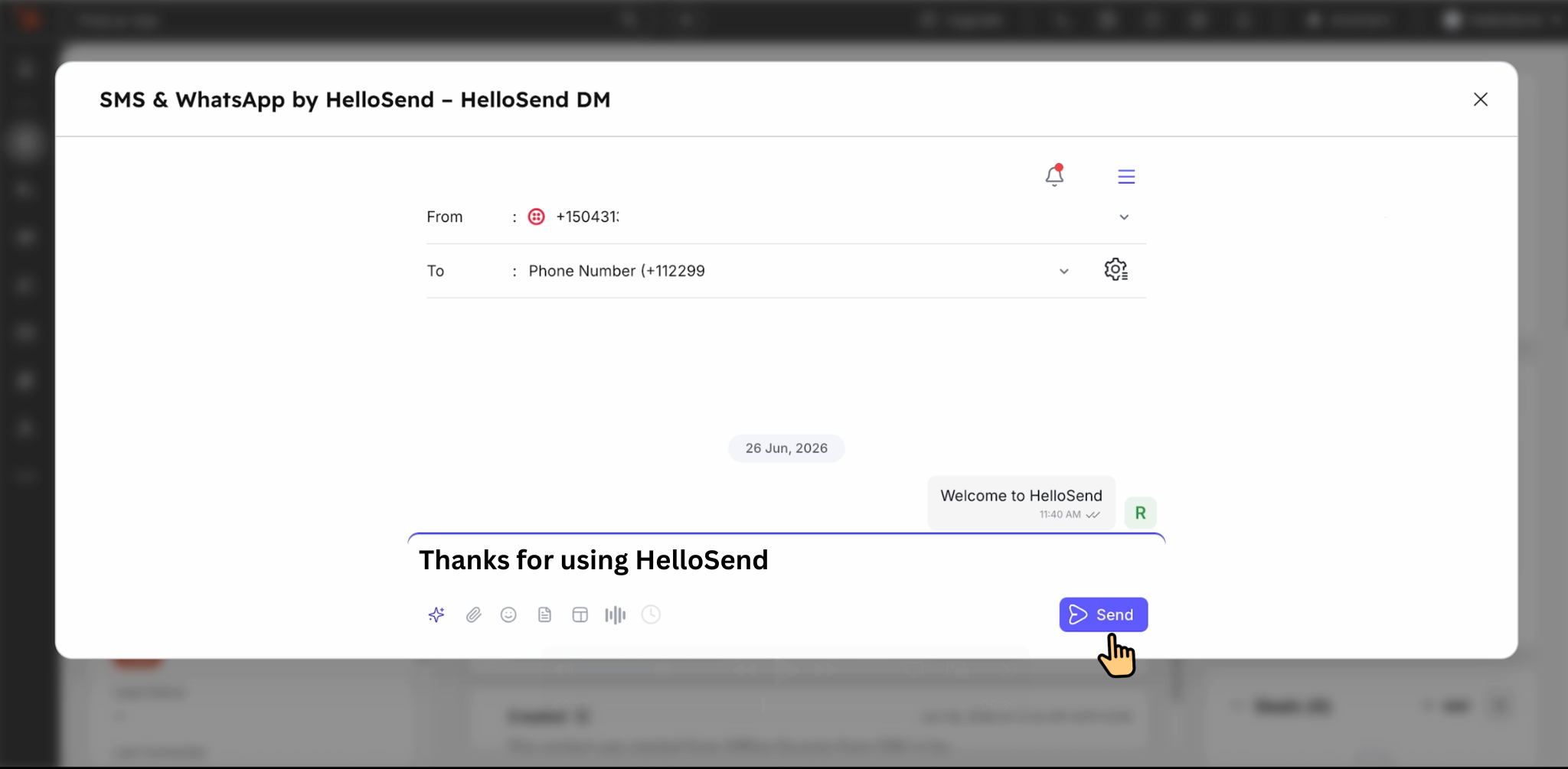
Choose the From number you want to use for sending the message. This is the business number your customer will see.
Step 6: Verify the To Number
After selecting the From number, the To number will be populated automatically from the selected HubSpot record. Check that the correct recipient number is selected.
Step 7: Open Phone Configuration if Needed
If you want to use a different recipient number, click the settings icon near the phone number field to open the phone configuration popup.
Step 8: Configure Phone Fields
In the phone configuration popup, you can view and select the available phone fields from the current HubSpot record, including primary and secondary phone fields.
Step 9: Use Associated Module Phone Fields
If the record is linked with other HubSpot objects, HelloSend can also display phone fields from associated modules, such as Company or Deal records.
Step 10: Save the Phone Field Selection
Choose the required phone field and click Save. The selected phone number will appear in the recipient dropdown and will be used for the message.
Step 11: Enter Your Message or Choose a Template
Enter your message manually or choose a saved template to send a quick, personalized message to your customer.
Step 12: Send the Message
Review the selected channel, From number, To number, and message content. Once everything looks good, click Send to deliver your message from HubSpot using HelloSend.
Step 13: Track and Manage Sent Messages
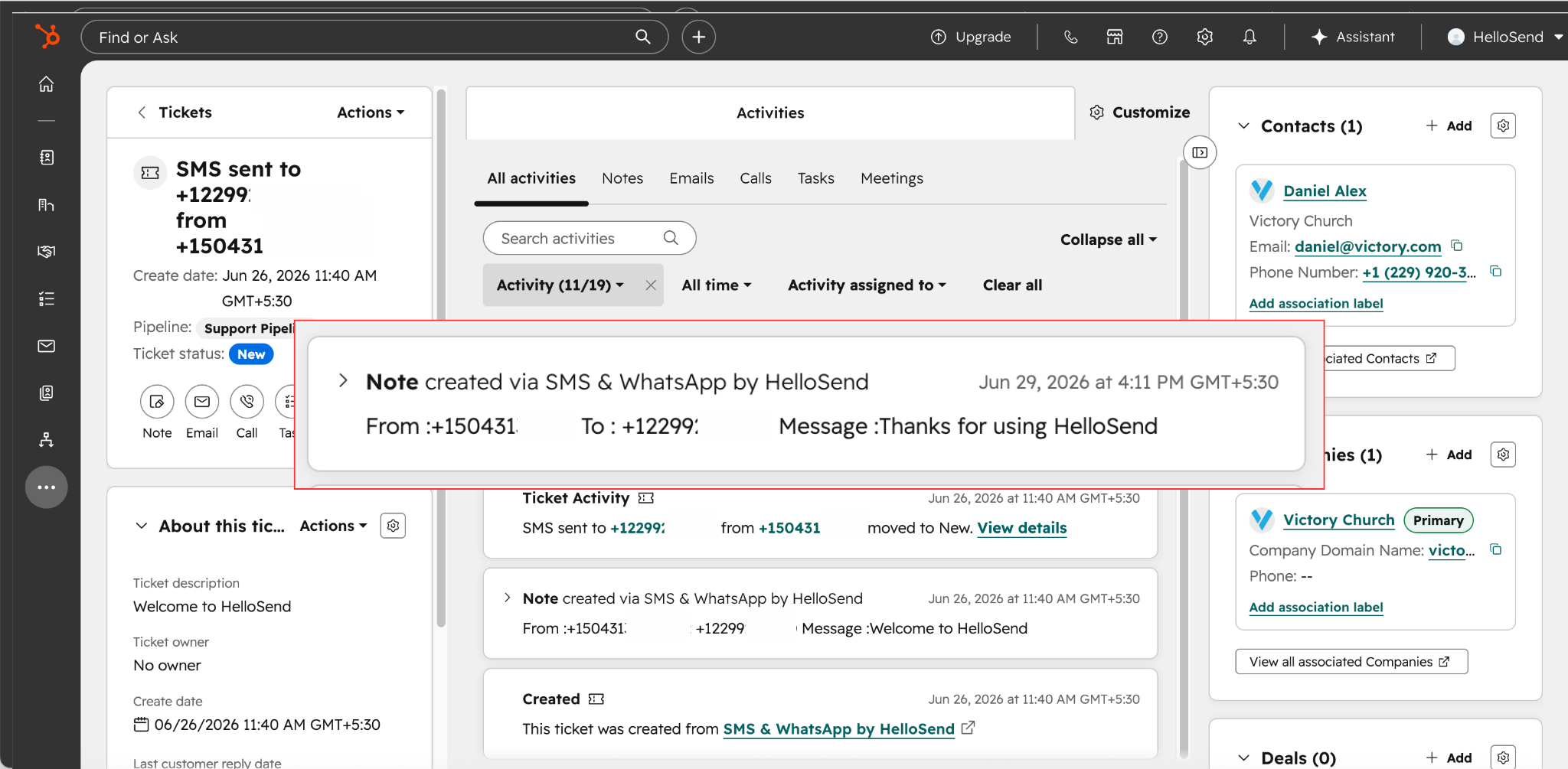
After sending a message, the communication details are automatically recorded in the HubSpot Activity area. You can view the From number, To number, message content, and the date and time the message was sent. This helps your team track customer communication and maintain a complete history of interactions directly within the HubSpot record.
Benefits
Using HelloSend for HubSpot helps your team send SMS and WhatsApp messages directly from customer records. This avoids switching between multiple platforms and keeps all customer communication available inside HubSpot.
It also helps improve response time and customer engagement. Sales teams can follow up with leads faster, support teams can reply to customer questions quickly, and every conversation can be managed from the same HubSpot record.
With saved templates and direct messaging inside HubSpot, teams can reduce manual work, maintain consistent communication, and deliver a smoother customer experience.
Conclusion
HelloSend provides a simple and effective way to send one-on-one SMS and WhatsApp messages directly from HubSpot. It brings customer messaging into the CRM, making it easier for teams to communicate, track conversations, and stay organized.
By using HelloSend inside HubSpot, your business can simplify customer communication, improve response times, and manage every conversation from one connected platform.


.webp)


.webp)
