🔧 How to Create a Team for Calls in HelloSend
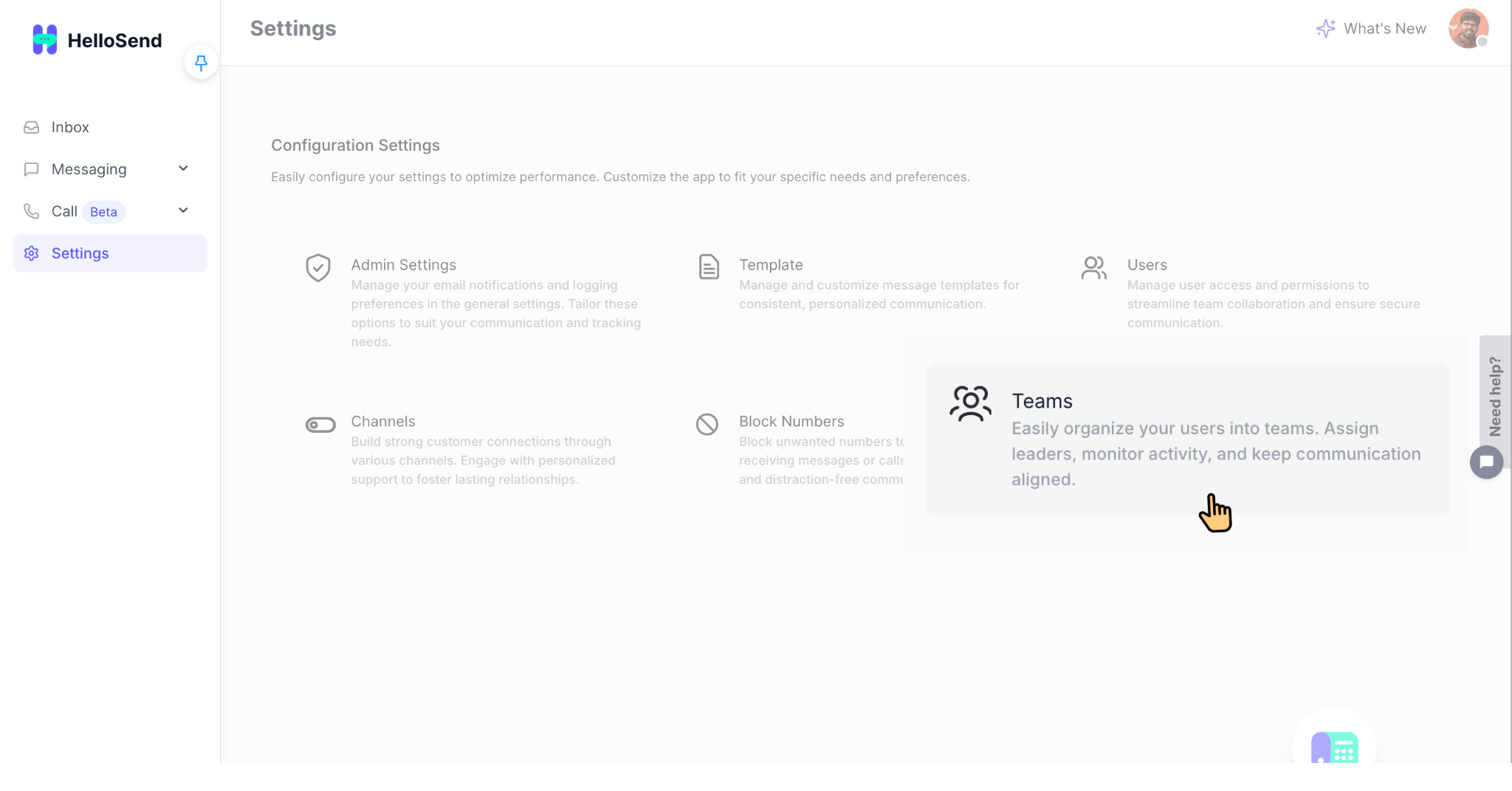
1 Access the Teams Page
- Log in to your HelloSend account.
- Go to Settings → Teams from the left navigation.
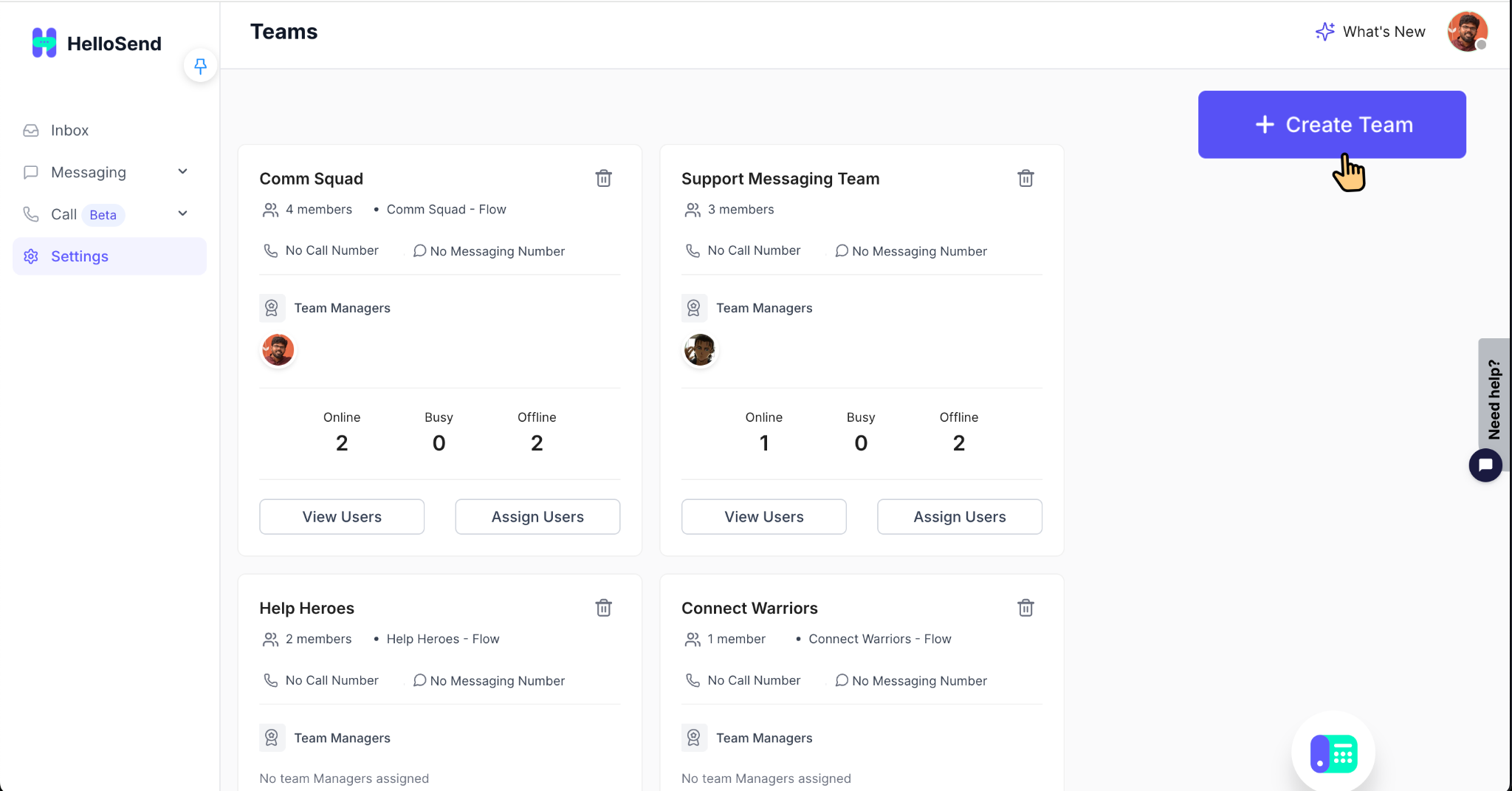
- Review your existing teams, or proceed to create a new one using the next step.
2 Create a New Team
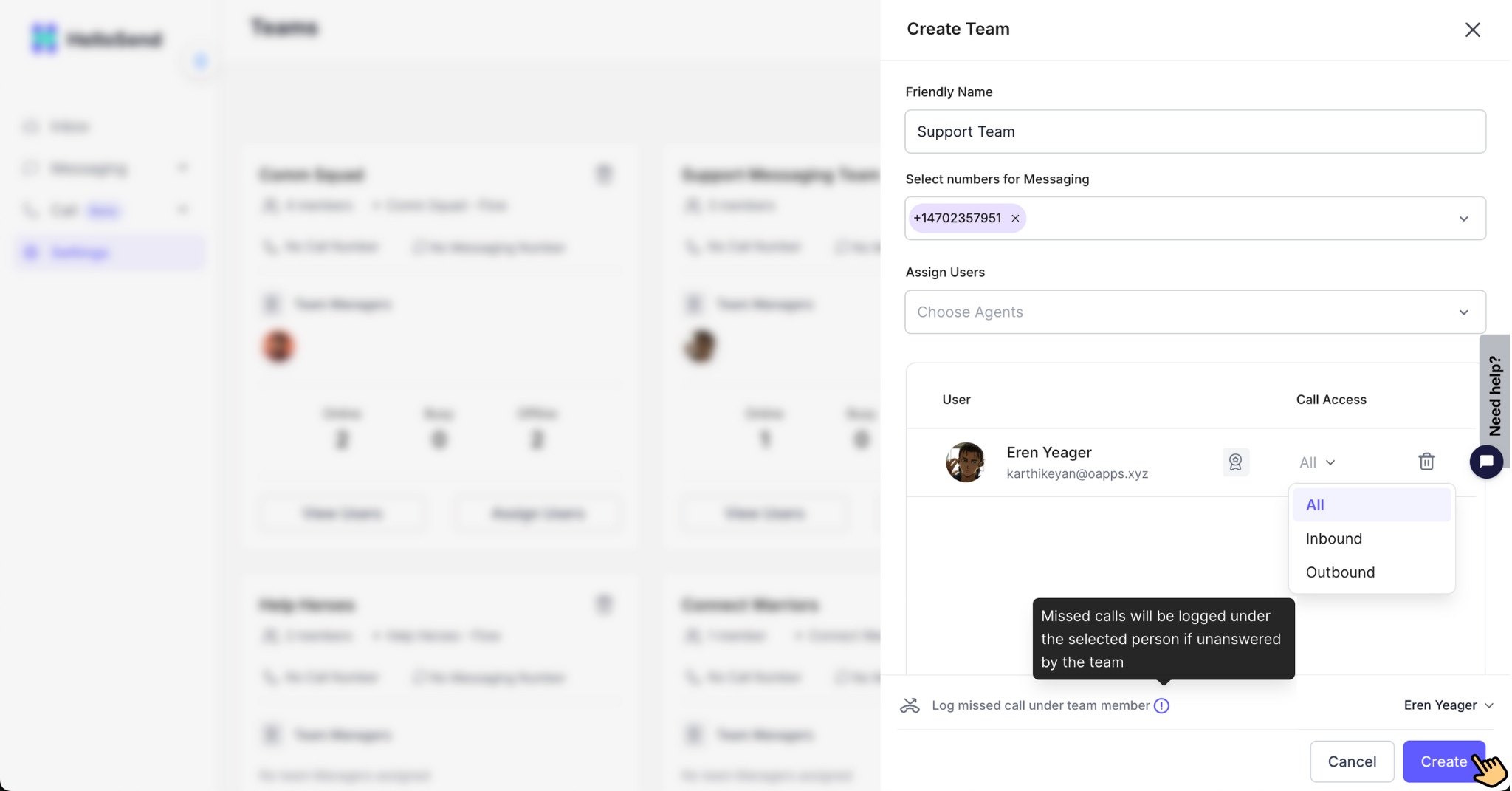
- Click the Create Team button in the top-right corner.
- Enter a clear Friendly Name for the team (for example: Sales Team, Support Messaging Team, Billing Desk).
- Select the appropriate numbers for Messaging that this team will handle.
3 Assign Users and Roles
Add Team Members
Under the Users section, add the members who should belong to this team. These users will participate in all team-related communication and tasks assigned within HelloSend.
Assign Manager
Select one or more users as Team Managers. Managers can monitor team performance, oversee activities, view message history, and ensure smooth communication flow. Multiple managers can be added if needed.
Log Missed Call Under Team Member
Choose the user who will own all missed call logs for this team. This ensures that every missed call is tracked under a single responsible member, helping with timely follow-ups and clear accountability.
Assign Call Responsibility
For each team member, define what type of calls they handle. This helps route calls efficiently based on user roles and responsibilities.
- All Calls – The user will handle both inbound and outbound calls for the team.
- Inbound Calls Only – The user will receive only incoming customer calls. Ideal for support or reception-based roles.
- Outbound Calls Only – The user will be responsible only for outgoing calls. Best for sales agents and telecallers.
4 Review and Create the Team
- Double-check the team name, assigned numbers, and user roles.
- Once everything looks correct, click the Create button.
- The team is now saved and will appear in the Teams table with member count and status, similar to the screenshot above.
✅ Benefits of Using Teams for Calls in HelloSend
📂 Organized Call Ownership
Group users into dedicated teams (Sales, Support, Billing, etc.) so every call has a clear owner and is handled by the right function from the start.
👨💼 Stronger Team Management
Assign Team Managers to monitor activity, coach team members, and keep an eye on who is online, busy, or offline at any moment.
🎯 Better Routing & Missed Call Handling
Control where calls go and how missed calls are logged so nothing slips through the cracks and follow-ups are always traceable.
⚙️ Flexible Roles per User
Configure each user to handle all calls, only inbound, or only outbound—matching their responsibilities without changing your overall call setup.
📈 Scales with Your Organization
As you add more users or departments, simply create more teams or adjust existing ones—no need to rebuild your call logic from scratch.
🤝 Aligned with How You Work
Structure HelloSend to match your real-world workflow so that collaboration between teams stays smooth and customers always reach the right group.
📌 Conclusion
Creating Teams in HelloSend gives you a structured, scalable way to manage calls across departments. By grouping users, assigning leaders, and controlling how calls and missed calls are distributed, you can reduce confusion, respond faster, and maintain clear ownership of every customer interaction. As your business grows, Teams ensure your communication remains organized and aligned with your internal processes.