
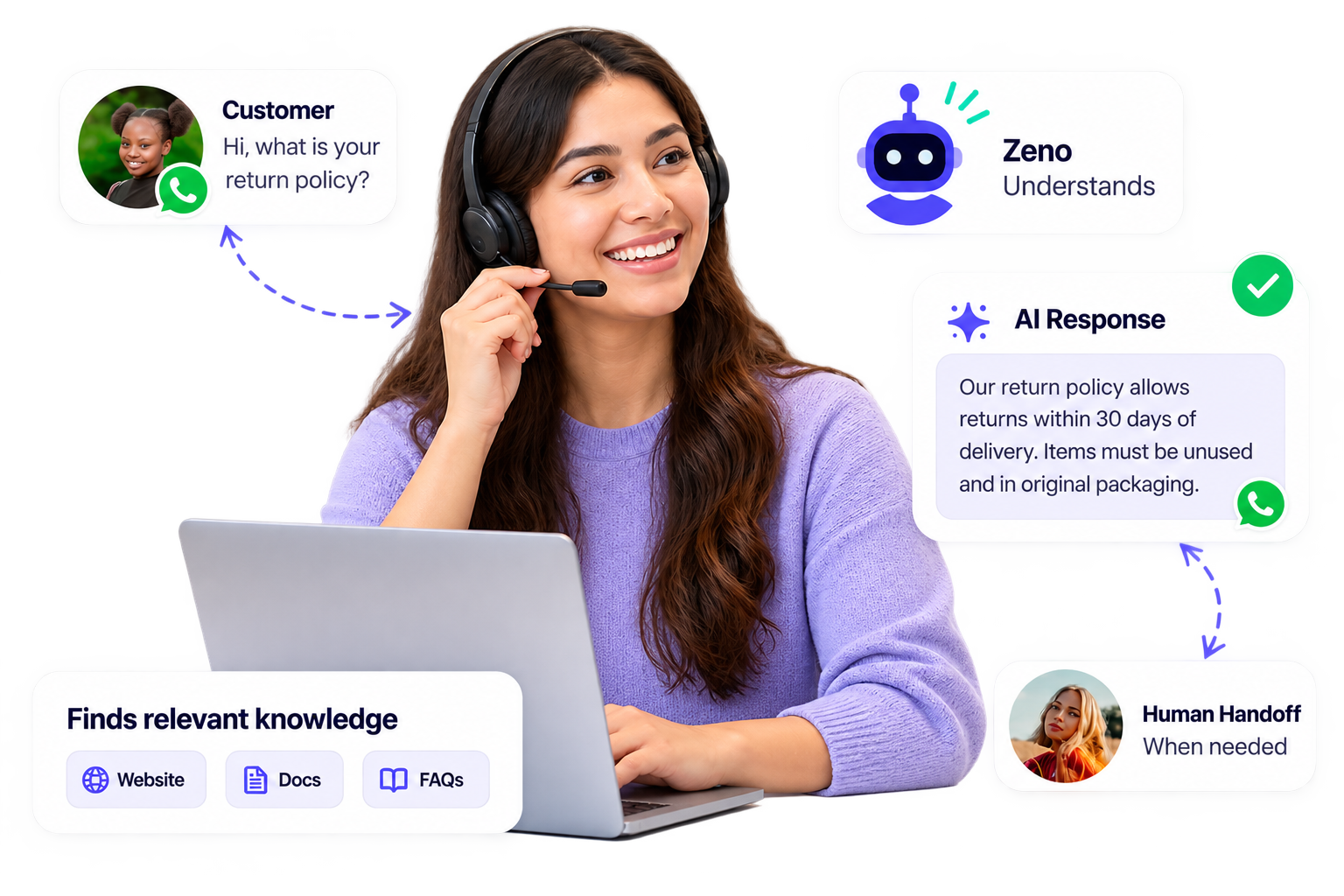
Customer Message

Zeno understands
Finds relevant knowledge
AI Response


Customers ask the same questions every day. Your team shouldn't have to answer every one manually.
What are your business hours?
How much does this cost?
How do I get started?
Where is my order?
Can you explain this service?
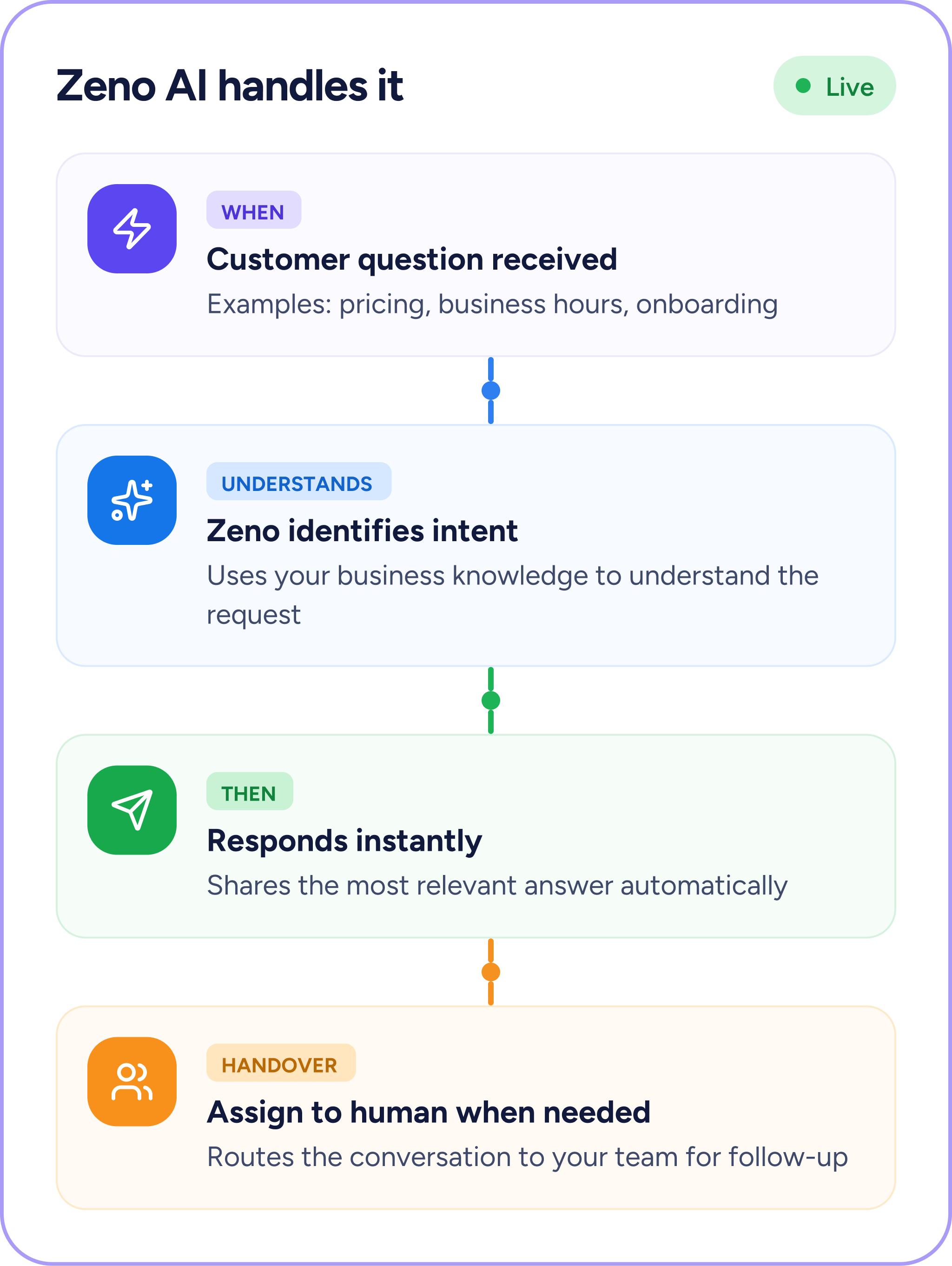
HelloSend AI Agentic Response changes that. HelloSend AI Agentic Response changes that. Zeno uses your business knowledge to understand customer questions and automatically provide relevant answers. When a conversation requires human expertise, your team can step in and take over.

Add your website, Help Center articles, product pages, FAQs, setup guides, or support content as knowledge sources. Zeno uses this information when responding to customer questions.
.svg)
Give Zeno additional context by uploading PDFs, DOC, DOCX, TXT, or CSV files containing product information, policies, support guides, FAQs, and other business documentation. HelloSend currently supports up to 50 files, with a maximum size of 40 MB per file.

Have questions customers ask repeatedly?
Add the exact question and preferred answer manually so Zeno can provide a consistent response every time.

Use the Zeno Playground to ask real-world customer questions and review the responses before enabling AI for live conversations. Improve your knowledge sources whenever an answer needs refinement.

Once enabled, Zeno can automatically respond to customer questions using the knowledge you've provided.

Not every conversation should be handled by AI. When Zeno doesn't have enough information or a customer asks for a human, the conversation can be handed over to your team.

Connect your website or Help Center, upload business documents, or add frequently asked questions and answers manually.
Zeno → Data Source → Add More Knowledge
Playground interaction
Ask Zeno the questions your customers ask most often.Get quick, helpful answers that keep your customers engaged and supported.
Once you're happy with the responses, enable Zeno for customer conversations.Zeno can now automatically answer relevant customer questions using your business knowledge. When human assistance is required, your team can take over.
Enable Zeno toggle + live conversation
Zeno enabled for customer conversations
For every customer conversation
Answer FAQs, setup questions, support requests, and common troubleshooting queries.
Answer product questions, explain services, and help prospects find relevant information.
Handle common questions about products, orders, policies, and customer service.
Respond to questions about services, availability, pricing, processes, and business information.
Connect your existing CRM in one click and start managing SMS conversations without changing your workflow.





"Dinesh is a top notch technician! He helped me figure out what was wrong with my extension. Very excited to use! Best short message extension, made for all CRM's especially for Zoho".

"Issues exist everywhere but don't panic. I contacted support and we were able to solve the issue, very well done. thank you. Recommend using this plugin"

"Good extension, works well, pretty straightforward to set up. Devs are helpful. Will continue to use the service. For Pipedrive - Twilio SMS extension."

"Great support from the developers! SMS and FB integration works perfectly."

"Boosted my sales. HelloSend, best extension, ease of use and smooth installation. Requested a feature request, awesome support, thanks Andrew."

"We have been working with HelloSend's multi-line extension since we migrated. This new extension is almost flawless. All previous issues have been completely resolved. We're very pleased with the service as well. Fixes have been FAST!"

"Transfomed my sales within a month. Best SMS Integration tool. Customer support helped me to solve the problem online shortly. Now I can use short message service. Enhance customer communication."

"Love this app."

"Amazing! Great app for integrating Twilio into Zoho Desk. Responsive devs. Just fixed a couple bugs that I reported and released a new version today!"

"Team was quick to respond to technical issues and seems to be adding new functionality quickly."

"Very responsive and helpful."

"My last review was pretty bad. Since then I have worked with them and installed the new update and it actually works really well to both individual as well as group txt...though I'll only use for individual leads. There are a couple of small bugs they need to address but nothing that will keep me from using!"

"Just purchased the extension. Smooth install. One request... Can you make the button available on the detail page as well as list view ? I know many that search for a contact and there is no way to text them without going page by page through Leads or Contacts.Thanks."

"This short message service extension is awesome! works perfectly. Compared to other ones we tried, this supports Arabic (and likely other). The support group (especially Andrew) is very nice and very patient. They help us set up the application and fix some issues at our end(not in the app) via zoom. Great app, no negatives. Thank you for developing this! Transform my sales from 0 to 100."


HelloSend AI Agentic Response is powered by Zeno, HelloSend's AI assistant. It uses your business knowledge—including website content, Help Center articles, documents, and manually added Q&As—to automatically answer customer questions.
You can provide knowledge by adding a website or Help Center URL, uploading documents, or manually creating questions and answers. Zeno uses this information when generating responses.
Yes. Zeno includes a Playground where you can ask sample customer questions and review its responses before enabling AI for live conversations.
Yes. You can upload PDF, DOC, DOCX, TXT, and CSV files. HelloSend currently allows up to 50 files, with a maximum size of 40 MB per file.
If Zeno doesn't have enough information to answer a question, or the customer asks to speak with a human, the conversation can be handed over to your team.
Yes. Zeno's responses depend on the knowledge sources you provide. You can add, update, or remove information to keep its responses aligned with your current products, pricing, services, policies, and support information.
Zeno is documented as supporting integrations including Zoho CRM, Pipedrive, Microsoft Teams, Salesforce, Zoho Desk, HubSpot, and Zendesk.
HelloSend's documentation describes Zeno as working alongside its customer messaging capabilities across channels including SMS, WhatsApp, voice, and other supported communication channels.





.webp)
