
Summarize this blog post with:
Quick Summary
Choosing the right Zoho Desk integration depends on how your support team communicates with customers. This blog compares 7 options for SMS, WhatsApp, and voice, including HelloSend, Gupshup, ScreenMagic, Zoho Flow, Zapier, ClickSend, and Latenode. It covers channel support, ticket syncing, shared inbox capabilities, and setup requirements to help teams find the right fit for their workflows.
Zoho Desk centralizes tickets, but the integration you pick decides whether agents handle SMS, WhatsApp, and voice from one place or three.
This blog compares 7 Zoho Desk integrations against the same criteria: channel coverage, ticket association, shared inbox, and setup cost. No single tool wins every category, and the right pick depends on which channels your team actually runs.
Top 7 functional Outcomes of Zoho Desk Integrations
Zoho Desk centralizes support tickets. It doesn't automatically decide how your agents handle SMS, WhatsApp, voice calls, and follow-ups; that's what the integration layer does.
Integrations for Zoho Desk fall into a few types:
- Channel-specific tools: Built around one channel, like WhatsApp or SMS
- No-code automation platforms: Connect Desk to other apps through triggers
- Unified communication solutions: Bring multiple channels into one shared workflow
You're not shopping for "an integration." You're matching a tool to your channel mix, budget, and how much setup your team can handle. That's worth comparing carefully, since the wrong pick means re-platforming in six months.
How we evaluated these integrations
Each tool is scored on the same 8 factors, so this isn't a feature-list marketing copy.
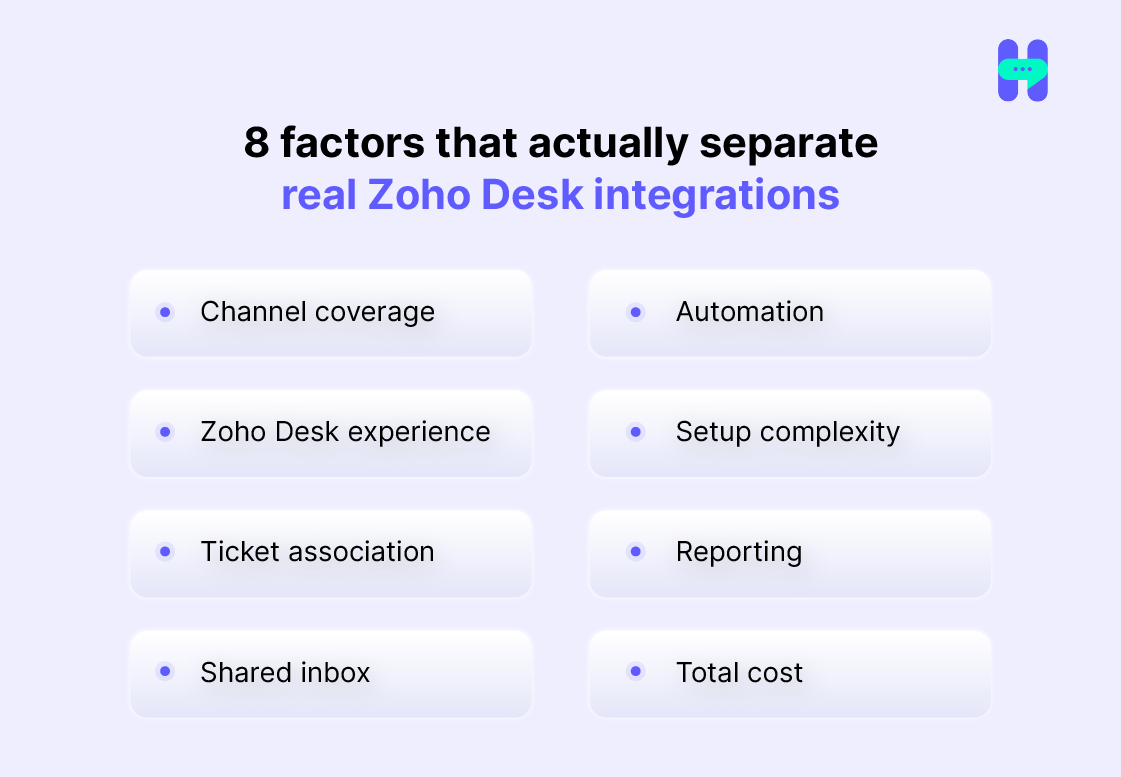
- Channel coverage: SMS, WhatsApp, voice, or one channel only
- Zoho Desk experience: Can agents work inside Desk, or do they leave it
- Ticket association: Do messages and calls attach to the right ticket and contact
- Shared inbox support: Can more than one agent manage the same channel
- Automation: Can it create tickets, send alerts, update statuses
- Setup complexity: How much configuration is required
- Reporting: Can managers track channel performance
- Total cost: Subscription, usage, and provider fees combined
Pricing, WhatsApp requirements, and regional availability vary by vendor and change often. Confirm current terms directly with each provider before you commit.
Unified communication solution (multiple channels, one shared workflow)
1. HelloSend: One ticket, One conversation, No App Switching
.webp)
Best for: Support teams where customers move between SMS, WhatsApp, and phone calls, and agents need one shared view of that conversation.
What it offers:
- SMS, WhatsApp, and voice in one workspace
- Shared inbox across agents
- Call activity and customer context linked to the ticket
- Less dependence on separate, channel-specific apps
Where it has limits:
- Feature availability varies by plan, provider, country, and number type
- Existing numbers and providers may affect setup
- Confirm pricing and compliance requirements before purchase
Pricing: Standard plan at $75/month or $60/month when billed annually, including up to three users and 10,000 messages; additional users are listed at $25/month.
Verdict: Choose HelloSend if your team needs SMS, WhatsApp, and voice working together around the same customer and ticket, not spread across three logins.
Channel-specific tools (built around one channel)
1. Gupshup: Is it the right Zoho Desk WhatsApp integration for support teams?
Best for: Teams where WhatsApp is the primary support channel.
Gupshup's Zoho Desk extension handles WhatsApp conversations, multi-agent access, and automatic ticket creation from chats. It's built for one channel and built for it well.
Where it wins:
- Strong WhatsApp specialization
- Multiple agents can manage one WhatsApp number
- Messaging activity connects to ticket workflows
Where it falls short:
- No SMS or voice coverage
- Requires WhatsApp Business setup and approval
- Teams still need separate tools for calls and text alerts
Pricing: Gupshup lists a standard fee of $0.001 per message, plus applicable WhatsApp charges.
Verdict: Choose Gupshup if WhatsApp is genuinely your only channel that matters. It's the wrong fit the moment an SMS or voice enters the picture.
2. ScreenMagic: Is it a strong Zoho Desk SMS integration?
Best for: SMS alerts, reminders, and ticket-status notifications.
Zoho lists ScreenMagic as its SMS integration, built to notify customers and reps by text. It's a notification tool first, a conversation tool second.
Where it wins:
- Focused, reliable SMS delivery
- Easy to set up for alert-only use cases
- Fits teams that are email-first and just need SMS as a backup channel
Where it falls short:
- No WhatsApp support
- No voice workflow
- Two-way messaging and full ticket history need verification before you rely on them
Pricing: Pay as you go, no subscription; buy credits once and use them whenever.
Verdict: Choose Screen Magic if SMS alerts are the extent of your need. It's not built for agents running ongoing, two-way conversations.
3. ClickSend through Zoho Flow: Event-triggered SMS
Best for: SMS messages triggered by specific ticket events.
ClickSend connects to Zoho Desk through Zoho Flow, so it's an SMS layer on top of your existing automation, not a standalone integration.
Where it wins:
- Useful for event-based SMS, like assignment or status-change alerts
- Fits into workflows you've already built in Zoho Flow
Where it falls short:
- Requires workflow setup before it does anything
- No WhatsApp or voice coverage
- Conversation history is thinner than a dedicated communication platform
Pricing: $0.12 USD/SMS.
Verdict: Choose ClickSend if automated SMS is your only requirement. It doesn't extend to any other channel.
No-code / Automation platforms (connect Desk to other apps through triggers)
1. Zoho Flow: Automation, not a communication inbox
Best for: Teams that want to automate repetitive actions between Zoho Desk and other apps.
Zoho Flow connects Desk to a wide range of external tools through no-code triggers. Send an SMS when a status changes, or create a task on a high-priority ticket. That's the use case.
Where it wins:
- No-code workflow builder
- Strong for connecting CRM, SMS, and marketing tools
- Automates repetitive support actions without developer time
Where it falls short:
- It is not a customer communication inbox
- Doesn't unify SMS, WhatsApp, and voice into one conversation view
- Message history depends entirely on how you build each workflow
Pricing: Free plan up to 5 flows and 100 tasks/month. Zoho also references a Professional plan at $41/month for 10,000 tasks.
Verdict: Choose Zoho Flow if your priority is automating actions, not giving agents a shared place to talk to customers.
2. Zapier: General-purpose automation for Zoho Desk
Best for: Simple automation between Zoho Desk and everyday business tools.
Zapier moves data between Desk and apps like Slack, Gmail, or Shopify based on triggers. It's broad, not built specifically for support communication.
Where it wins:
- Large app ecosystem
- Easy for teams without developers
- Useful for notifications and data sync
Where it falls short:
- Not designed as an SMS, WhatsApp, or voice inbox
- Multi-step workflows get hard to manage
- Task limits and premium connectors add to cost quickly
Pricing: Free.
Verdict: Use Zapier for basic automation between tools, not as a stand-in for a unified support communication platform.
3. Latenode: Custom SMS and voice workflows for technical teams
Best for: Technical teams building custom SMS and voice workflows.
Latenode is a visual automation platform for connecting Zoho Desk to SMS or voice apps through webhooks and custom logic.
Where it wins:
- Flexible when standard connectors don't cover your process
- Can connect multiple systems in one workflow
- Suitable for teams comfortable with automation logic
Where it falls short:
- Requires more setup than a ready-made tool
- Workflow maintenance grows with complexity
- Agents may still work across separate apps day to day
Pricing: Start with 10,000 CPU seconds free every month.
Verdict: Choose Latenode only if you have the technical resources to build and maintain custom workflows. Most support teams don't need this level of complexity.
Feature comparison
What most Zoho Desk integration comparisons miss
Channel coverage isn't the only thing that changes month to month. WhatsApp Business Platform moved from conversation-based pricing to per-message billing in mid-2025, so every business-initiated message now carries a cost, not just the first one in a 24-hour window.
That shift matters for customer support automation more than most comparisons admit:
- A tool that triggers WhatsApp follow-ups automatically can quietly increase your message volume and your bill
- Point solutions rarely surface per-message cost in one place, since SMS, WhatsApp, and voice run through separate billing
- A unified platform that shows all channel usage together makes that cost visible before it becomes a surprise invoice
What should you ask before buying any Zoho Desk add-ons?
Ask every vendor on this list the same questions.
- Is pricing per agent, per number, per message, or usage-based?
- Are SMS and WhatsApp charges billed separately?
- Are voice minutes or call recording fees additional?
- Can you port or connect your existing phone numbers?
- Are inbound replies linked automatically to tickets?
- Can multiple agents share the same channel?
- What consent, opt-out, and data-retention controls are included?
A vendor that answers these clearly, upfront, is telling you something about how they'll handle support later.
Which Zoho integration should you choose?
The best Zoho Desk integration depends on the communication problem you're actually solving, not a features checklist.
Choose Gupshup when:
- WhatsApp is your primary support channel
- Multiple agents need to manage one WhatsApp number
- You want WhatsApp conversations tied to tickets, and nothing else
Choose ScreenMagic when:
- You mainly need SMS alerts and reminders
- Your team is email-first
- Conversational SMS isn't a requirement
Choose Zoho Flow or Zapier when:
- Automating repetitive actions matters more than a shared inbox
- You already use separate communication providers
- Workflow logic is more important than agent-facing conversation tools
Choose ClickSend when:
- Automated, event-triggered SMS is your only requirement
- You don't need integrated voice or WhatsApp
Choose Latenode when:
- You need custom API or webhook workflows
- Your team has the technical resources to build and maintain them
Choose HelloSend when:
- Customers move between SMS, WhatsApp, and voice regularly
- Agents need shared, cross-channel context
- You want calls and messages tied to the same ticket automatically
- Reducing app switching is an actual priority, not a nice-to-have
The Bottomline
This blog compares 7 Zoho Desk integrations for teams that use SMS, WhatsApp, or voice to support customers. The focus is practical: which channels each tool supports, whether conversations can be tied back to Zoho Desk tickets, how well teams can manage shared communication, and how much setup is involved.
HelloSend is the strongest fit for teams that want SMS, WhatsApp, and voice in one place. Gupshup makes more sense for WhatsApp-heavy support, while ScreenMagic is better suited to SMS alerts and messaging.
Zoho Flow and Zapier are useful when the main need is workflow automation rather than a full communication layer. ClickSend, paired with Zoho Flow, can handle SMS-triggered workflows, while Latenode gives technical teams more control over custom integrations.
There is no universal best choice. A support team that mainly handles WhatsApp conversations will have different needs from one managing SMS alerts, phone calls, and ticket updates across several agents. The right integration comes down to the channels your customers actually use, how closely those conversations need to stay connected to Zoho Desk, and how much time or technical effort your team can put into setup.
FAQ
1. How do you integrate Zoho Desk with other tools?
Zoho Desk connects to other tools through its Marketplace, through Zoho Flow for no-code automation, or through direct API integration. The setup method depends on the tool: channel-specific apps like HelloSend can be installed directly from the marketplace, while automation platforms like Zapier or Latenode require configuring triggers and actions separately.
2. Is Zoho Desk a CRM tool?
No. Zoho Desk is a help desk platform built for managing support tickets, not a CRM. It integrates with Zoho CRM and other CRMs to pull customer data into support tickets, but ticket management and customer relationship management remain separate functions.
3. Can you send SMS directly from Zoho Desk?
Not natively. Zoho Desk needs an SMS integration, such as Screen Magic for alerts or HelloSend for two-way conversational SMS tied to tickets to send text messages from the platform.
4. What are the benefits of integrating WhatsApp and SMS with Zoho Desk?
Integrating WhatsApp and SMS keeps customer conversations attached to the ticket they belong to, instead of scattered across separate apps. This gives agents full context before replying, cuts down on manual updates between systems, and speeds up response times on the channels customers actually use.
5. Which Zoho Desk integration is best for omnichannel customer communication?
HelloSend is built specifically for omnichannel messaging inside Zoho Desk, combining SMS, WhatsApp, and voice calling into one shared workflow tied to each ticket. Single-channel tools like Gupshup or Screen Magic cover one channel well but require a second or third app to reach full omnichannel coverage.