

Summarize this blog post with:
Quick summary
SMS automation fires the message the moment a trigger happens: an order update, a missed appointment, a lead going cold. Connect a platform like HelloSend to your CRM (Zoho, HubSpot, Pipedrive, or Salesforce); build the workflow once, and it runs without anyone touching send again. That's the whole model.
Somewhere on your team right now, someone is manually typing out the same reminder they typed yesterday. And the day before that.
That's the real cost of skipping this. Not "missed opportunity." Just time spent on something a trigger could've handled in under a second.
SMS automation closes that gap. The message goes out the instant the trigger fires: no one checking a list, no one remembering to hit send, no gap between "customer needs this now" and "customer has this now."
Recent stats say that SMS messages boast an impressive open rate of 98%. It is one of the fastest ways to send updates to your customers. Sending quick notifications also helps you build strong relationships with your customers for the long term.
This blog walks through what that actually looks like: what SMS automation is, why it outperforms most channels you're already using, and four steps to get it running inside your CRM.
Let's get into it.
What Is SMS Automation?
SMS automation is the process of sending text messages based on triggers instead of manual input. A trigger could be a new deal stage in your CRM, a missed appointment, or a cart left without checkout. The message goes out the moment the trigger fires.
This differs from bulk SMS, where a team sends one message to a list at a single point in time. Messaging automation runs continuously in the background, tied to real customer actions. When this runs through your CRM's own triggers and templates, it's often called sms workflow automation, and platforms like HelloSend connect directly to your CRM so the trigger and the message live in the same system.
Businesses use this to automate SMS for order confirmations, appointment reminders, renewal notices, and lead follow-ups. The result is consistent communication that doesn't depend on someone remembering to hit send.
How Does SMS Automation Help?
Businesses use SMS automation to deliver messages faster. Automating your SMS will help businesses to inform their customers instantly by sending short and quick messages such as order updates, service alerts, and promotions without manual input.
This automation minimizes delays, improves accuracy, and saves teams valuable time. Automated workflows also let businesses schedule messages based on customer needs, which will improve engagement.
So, yes, it is a more efficient way to connect with your customers easily. And businesses across industries utilize SMS automation to stay in the competitive market.
Make sure to check out this blog: Master SMS Marketing.
How SMS Automation Becomes a Game-Changer for Modern Businesses: Benefits
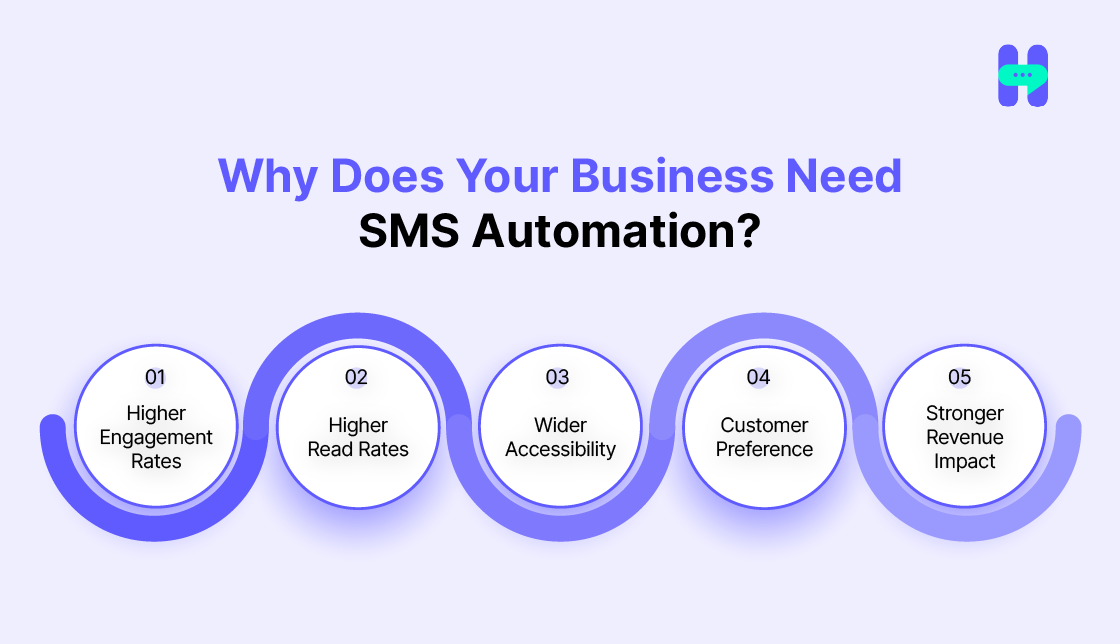
So why do you need SMS automation for your business? Let’s find out.
1) Higher Engagement Rates
Automated SMS campaigns create a direct and effective communication channel. Unlike emails or ads, text messages feel personal and grab attention almost instantly. This immediacy leads to higher engagement rates, helping businesses foster stronger customer relationships.
2) Higher Read Rates
Did you know that text messages boast a staggering 98% open rate? Unlike emails that can be lost in spam folders, automated SMS ensures customers see and read your message. This makes it an invaluable tool for time-sensitive information or promotional updates.
3) Wider Accessibility
SMS works seamlessly on any mobile device, regardless of internet connectivity. Whether your customers are in a remote area or simply prefer text communication, automated text messaging guarantees accessibility at all times, ensuring no one is left out.
Don’t forget to explore this blog: Text Message Marketing
4) Customer Preference
Most customers find text messages less intrusive and more convenient than phone calls or emails. Automated texting services offer quick, clear, and concise communication, making it a preferred channel for most audiences.
5) Stronger Revenue Impact
Businesses can convert leads into loyal customers by sending timely reminders, exclusive deals, and follow-ups. Sms marketing automation lets enterprises run targeted campaigns that directly impact their bottom line, effortlessly driving higher revenue.
4 Steps To Start SMS Automation For Your Business
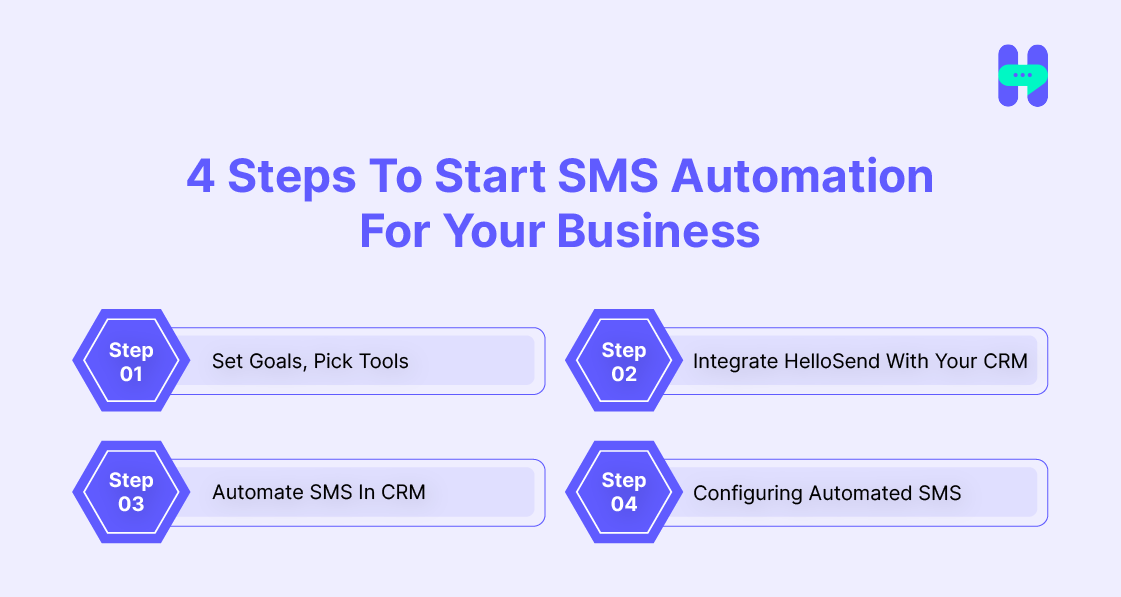
By following the 4 steps, you can kickstart SMS automation for your business: -
- Step 1 - Set Goals, Pick Tools
- Step 2 - Integrate HelloSend With CRM
- Step 3- Automate SMS In CRM
- Step 4 - Configure Automated SMS
Step 1 - Set Goals, And Select Tools
Start by defining what you want SMS automation to do for your business. A few questions help narrow the goal:
- Are you improving customer retention?
- Are you sending timely notifications?
- Are you boosting marketing ROI?
Once the goal is clear, message flows follow naturally. HelloSend fits most of these goals well, since it combines bulk messaging, instant delivery, CRM integration, and a unified inbox in one platform. It will also be an affordable and powerful choice for your business.
For a deeper look at message strategy, read "How to schedule a text?"
Step 2 - Integrate HelloSend With Your CRMFor Pipedrive:-
For Pipedrive:
Follow these steps to set up the integration effectively with HelloSend:-
Part 1:-
- Install HelloSend's marketplace app using the following link.
- Click on this link.
Part 2:-
- The next step is to configure the SMS.
- For this, you need: -
- A Twilio number with SMS capabilities or a RingCentral number with SMS capabilities.
For Twilio:
- Log in to your Twilio account.
- Copy the Account SID and Auth Token.
- Paste them into the app to authenticate and click Authorize.
For RingCentral SMS:
- Click Authorize to connect your RingCentral account.
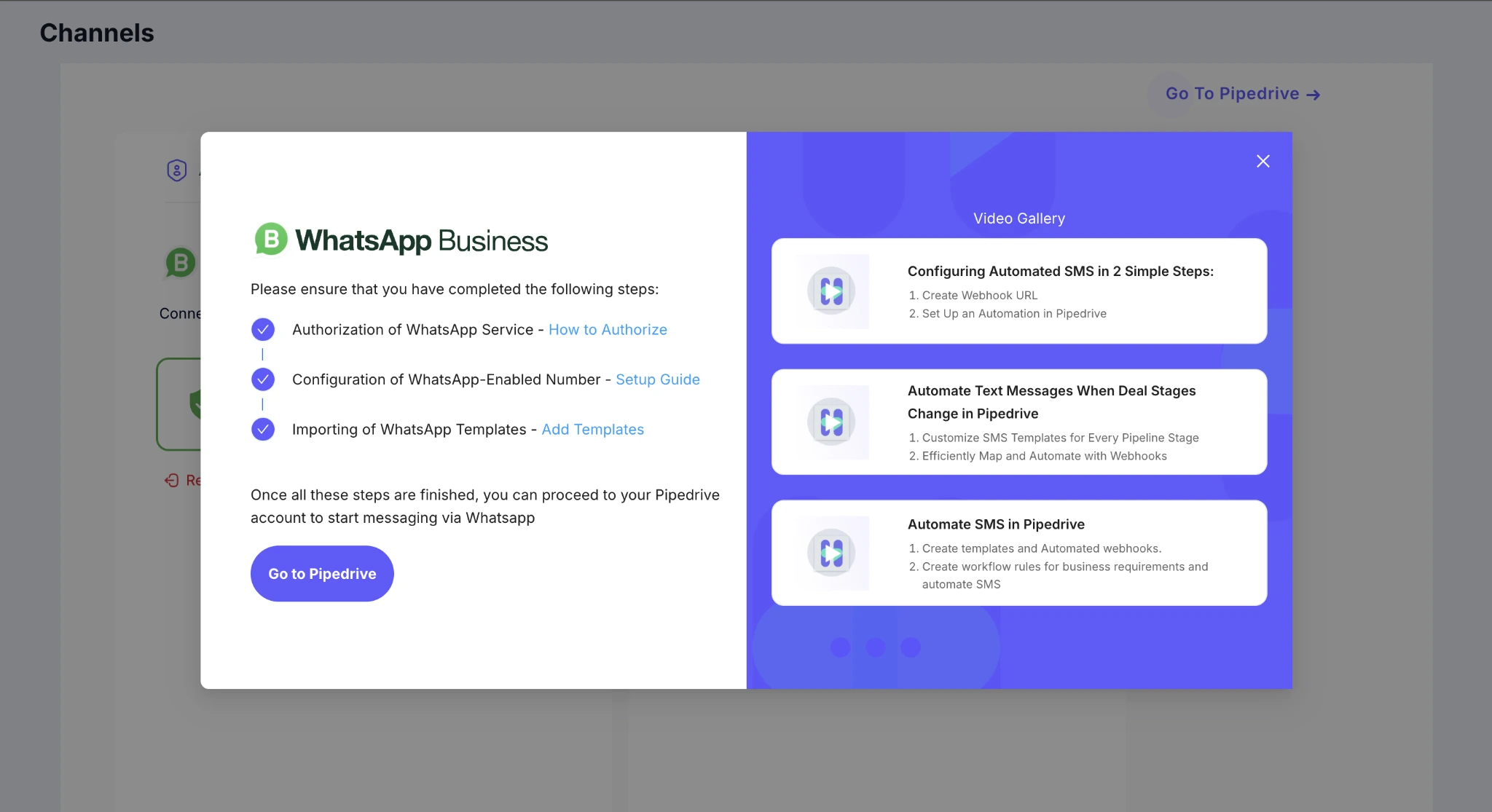
A Facebook business account with a WhatsApp number is configured if you are looking for WhatsApp.
For WhatsApp:-
Follow this link to connect to your WhatsApp number.
Part 3:-
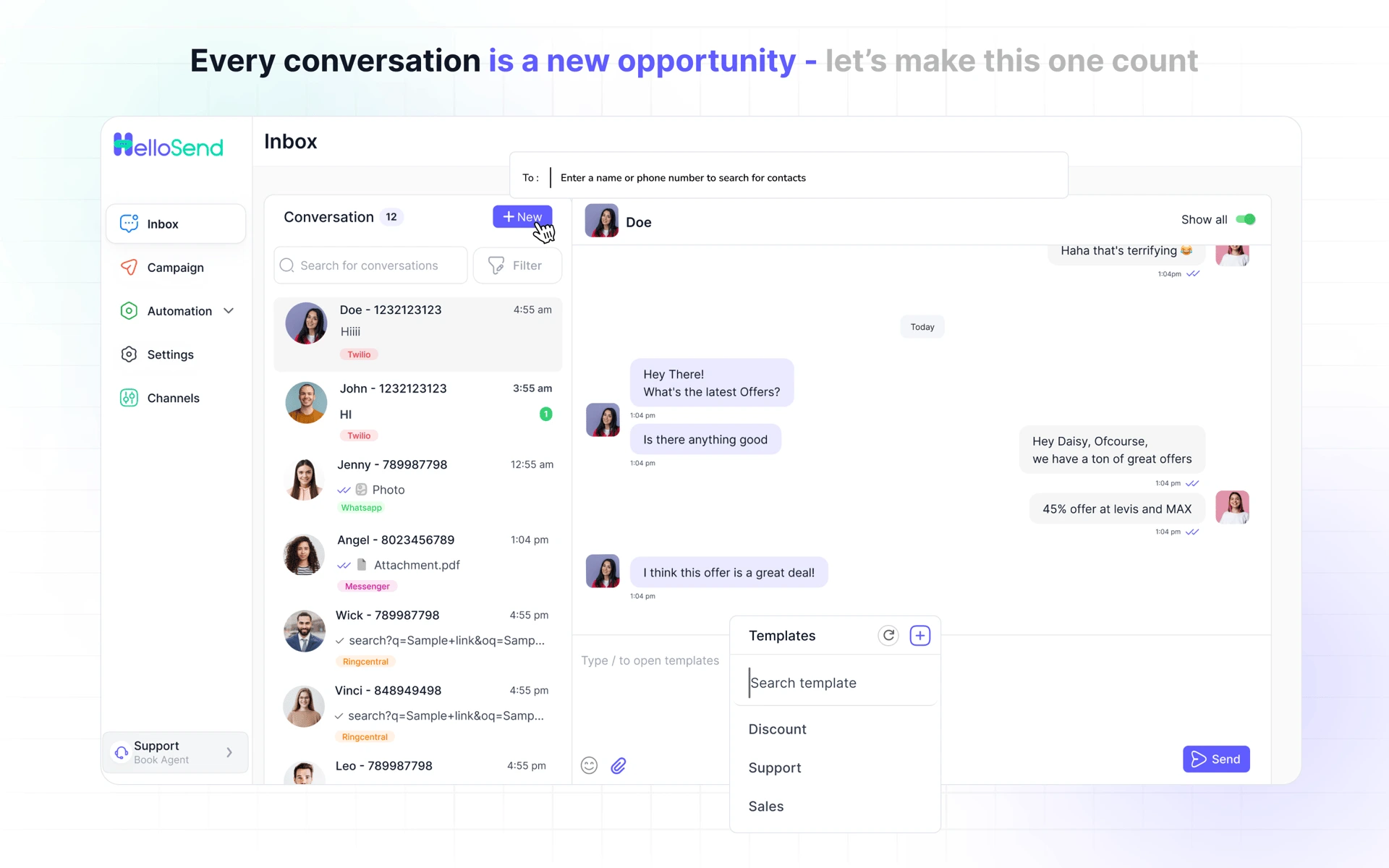
- Send SMS / WhatsApp from Pipedrive.
- Navigate to the Pipedrive page and open Contacts from the sidebar.
- The HelloSend DM panel will automatically populate the "From" and "To" fields in the contact's detail view.
- Compose an SMS / WhatsApp manually or select a pre-designed template to personalize and send.
- All SMS/WhatsApp messages sent or received for the contact are logged in the Notes/Activities section for easy tracking.
- Click the menu icon in the top-right corner of the HelloSend DM panel to go to the HelloSend page.
So, by following these three steps, you can set up Pipedrive sms integration using the HelloSend tool.
Step 3—Automate SMS In CRM
You can easily configure automated processes within Pipedrive and Zoho to simplify workflow tasks and boost efficiency, the core of any sms workflow automation setup.
- Template Creation: Create reusable templates for multiple purposes.
- Webhook Setup: Associate webhooks with created templates to trigger actions.
- Automated Webhook Creation: Automatically generate webhooks for existing templates based on particular conditions.
- Automation Establishment: Configure automated processes in Pipedrive or Zoho and link them to generated webhooks for smooth workflow integration.
How To Create Templates?
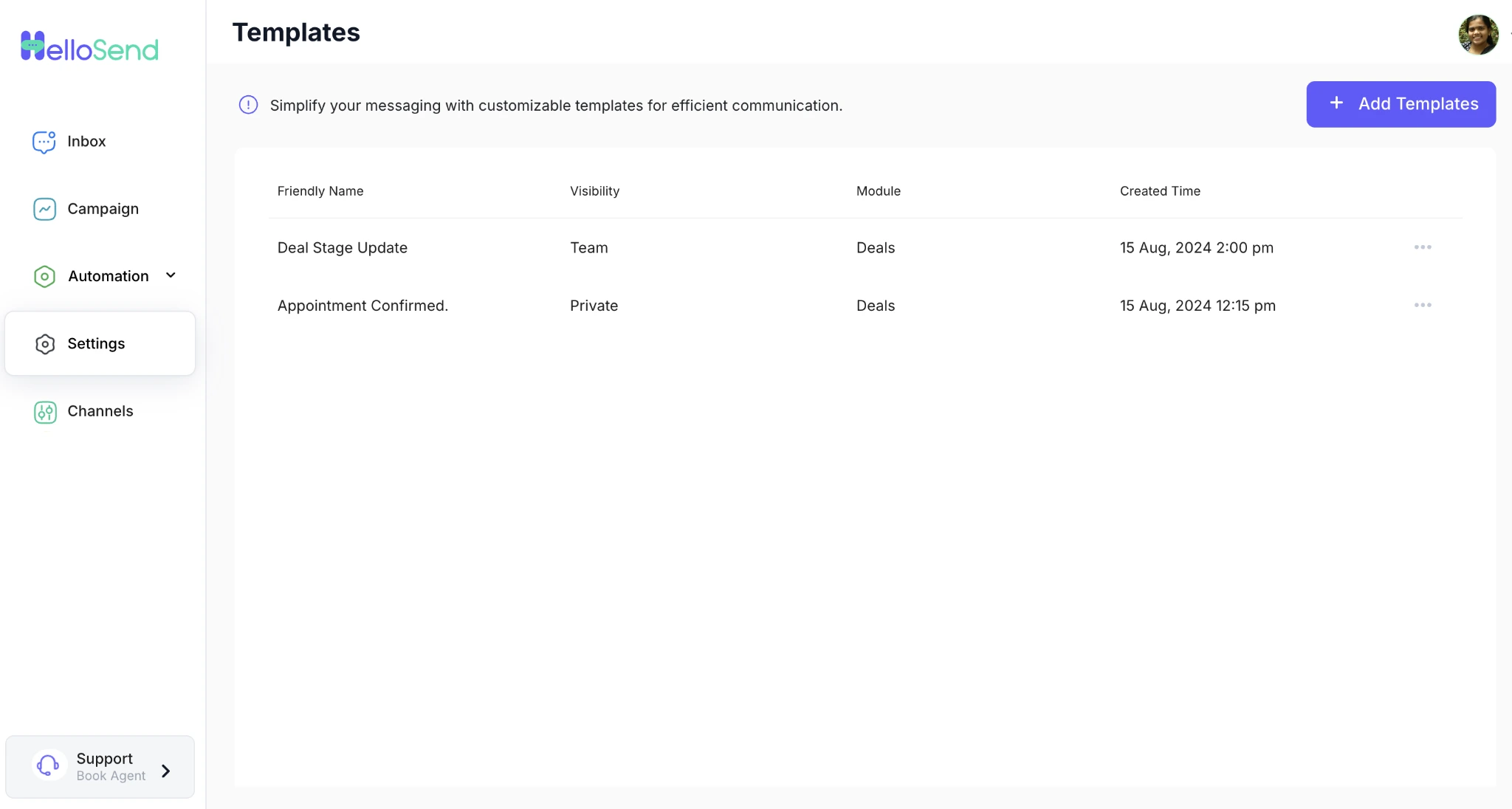
- Navigate to Settings. Go to the left side, and you will find settings. Click on it.
- Click on Template - After this, you can see the Template in the middle. Click on that.
- Click on Add Templates - Now, you will see + Add Templates. Click on it.
- Select the module, fill in the message, and add a friendly name. Select the visibility (private/team) and module (amount, email, price, etc.). Add the message you want to send.
- Click to add images to the template - Select photos you want to share with your customers.
- Select images - Upload images and click on save.
- Click the Add button - Now, click on the Add button, which will be visible on the right-hand side below the message you have added, and you are all done.
How to Create Webhooks for Created Templates?
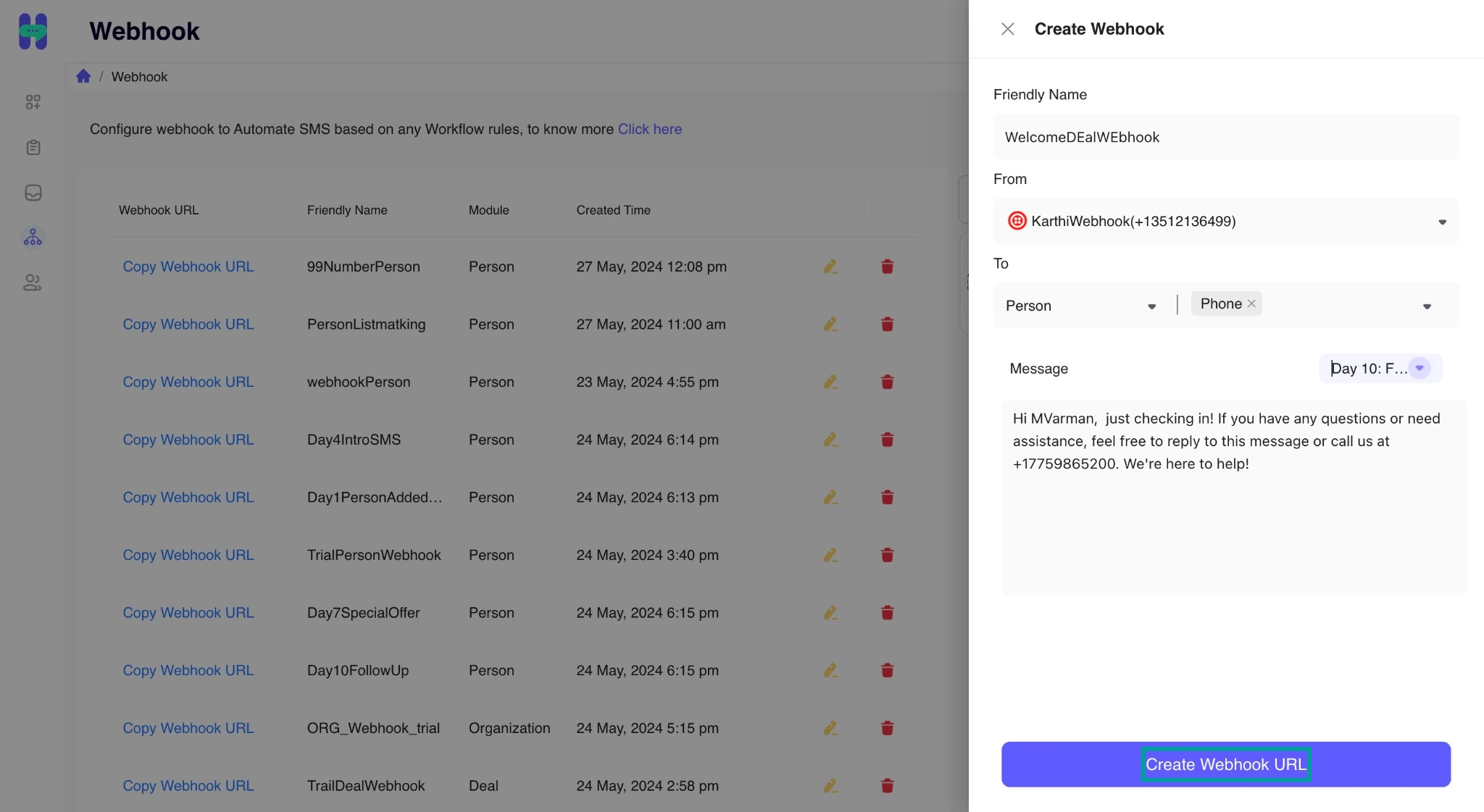
- Click on the Webhook / Automation Icon - on the left side, you will see the automation icon. Click on it.
- Click the Create Webhook button - On the right side of the top corner, you will see + Create Webhook. Click on that.
- Choose a phone number - Select a phone number to which the automated SMS will be sent.
- Choose the template - Select the template you want to send and click the "Create Webhook URL" button. And your link is created.
How to Create an Automated Webhook in Pipedrive?
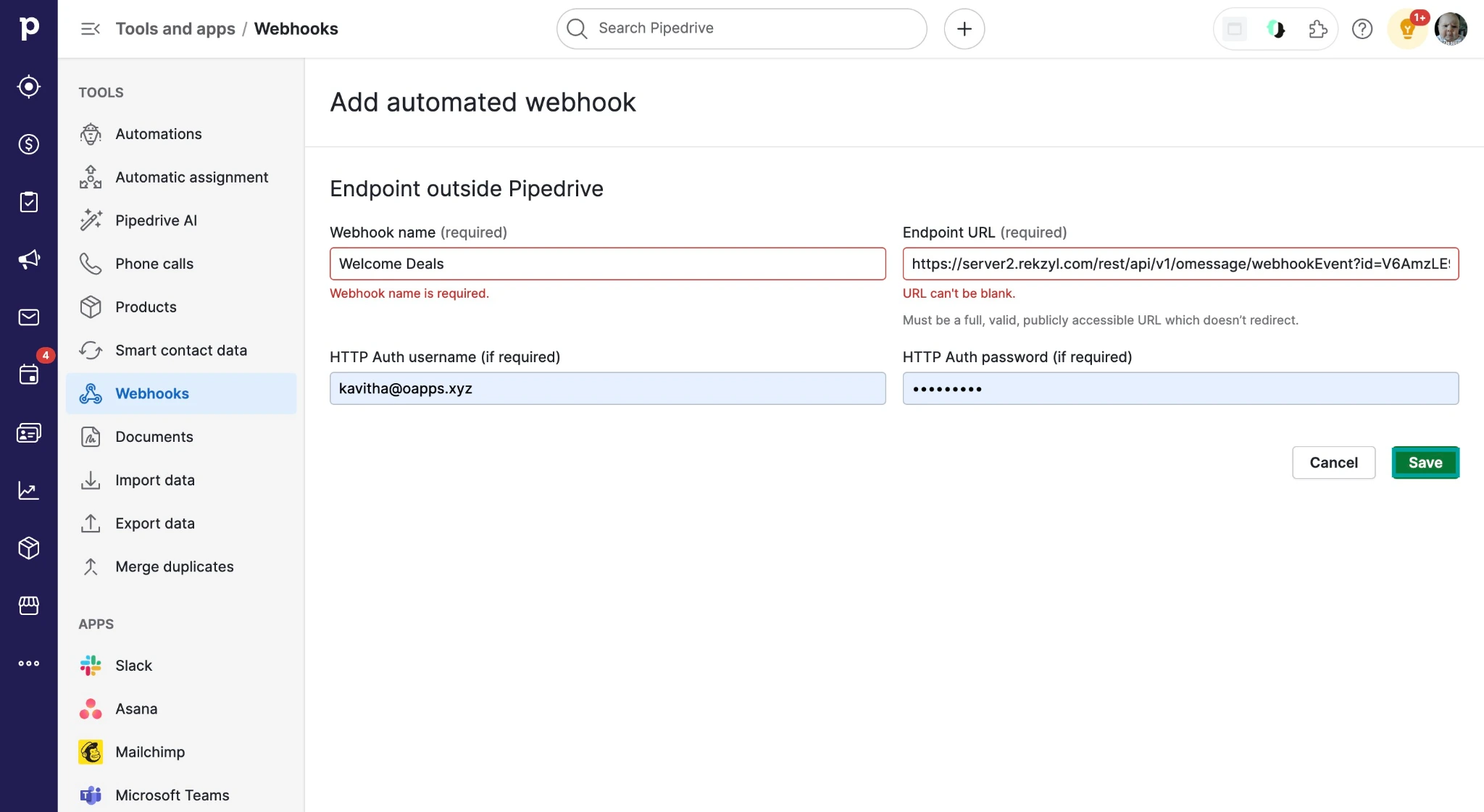
- Access Automation - In the left-hand corner, under the Tools section, you will find Automation. Access Automation in Pipedrive by clicking on "More."
- Navigate to Webhooks - Under the Tools section, navigate to Webhooks.
- Add Webhook - On the right-hand side, at the top, you will see the Webhook button. Click on that button.
- Webhook Button—After that, click the Automated Webhook Button.
- Navigate to the HelloSend page - Navigate to the HelloSend page to copy the Webhook URL.
- Configure name and paste URL - Now, configure the friendly name and paste the Webhook URL. And it’s completed.
To understand these perfectly, click here.
Step 4 - Configuring Automated SMS
You can easily configure automated SMS in 2 Simple Parts
- Part 1 - Create Webhook URL
- Part 2 - Set Up an Automation in Pipedrive or Zoho.
Explanation:- Part 1 - Create Webhook URL
- Give the appropriate friendly name for the URL.
- Select the module in which you want to create the automation.
- Select the template message.
- Then click Create Webhook URL. (The generated Webhook data will be listed in a table)
Part 2 - Set Up an Automation in Pipedrive
- Select the trigger event to which the message will be sent and apply the trigger.
- Map the exact conditions. (instant condition)
- Click on + to map actions
- In the action section, select Webhook and click Create Automated Webhook.
- Then, choose Automated Webhook.
- Copy the created Webhook URL from the OApps Automations Page. And provide the same friendly name.
- Now go back to the automation page, and in the action section, select the Webhook and choose the Webhook we created now.
- Select the post method. In the key value, enter ID, select Deal ID, and click on Apply Actions.
- Now activate the automation. And it’s ready. Very easy, right?
Why Choose HelloSend For SMS Automation?
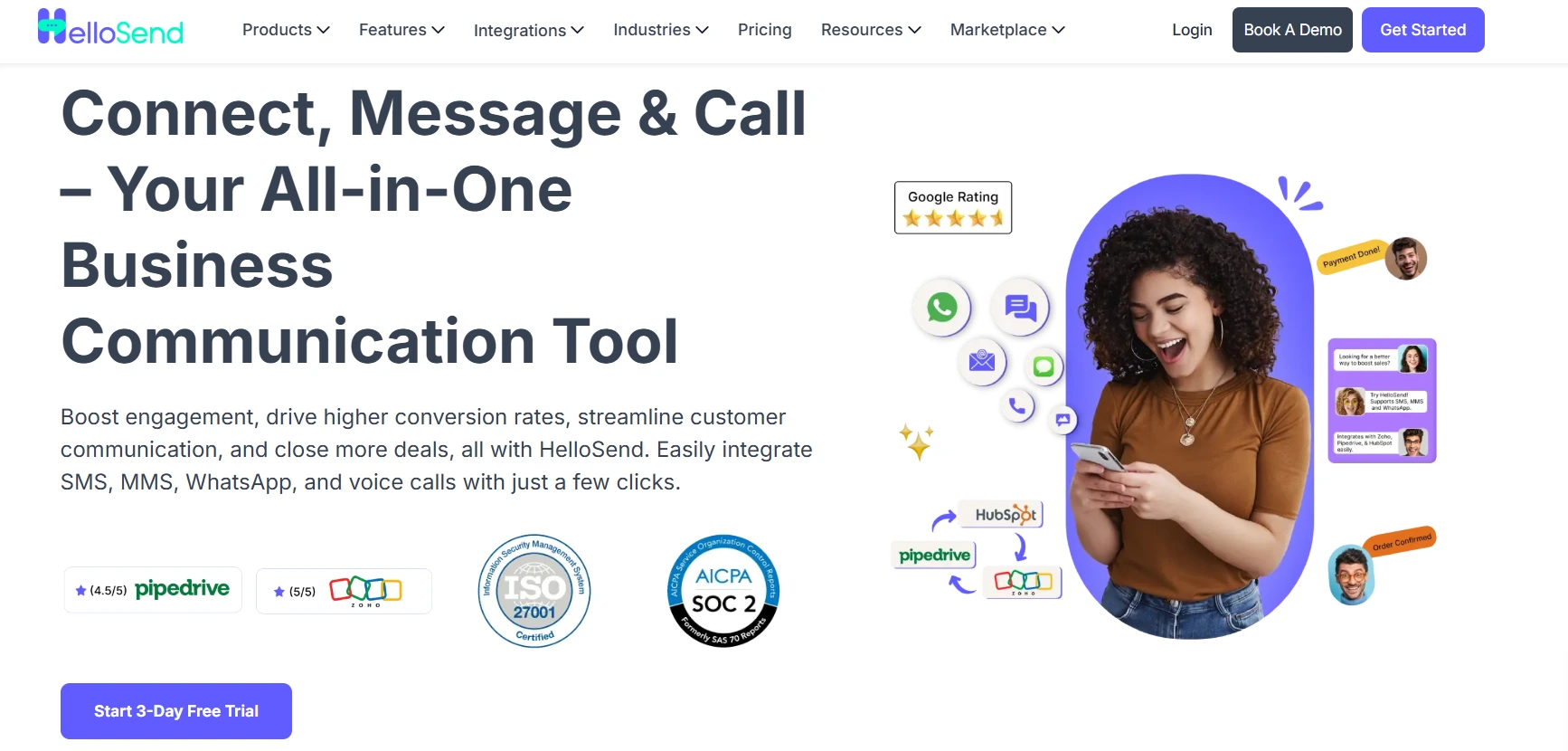
HelloSend is a preferred solution chosen by many businesses for sending SMS and MMS to their customers quickly. In a world where most SMS tools make you leave your CRM, this platform unifies SMS, WhatsApp, and voice inside the CRMs teams already use. Instead of switching tools to text a customer, the message panel sits inside Zoho, HubSpot, Pipedrive, or Salesforce. With HelloSend, you can send customized messages and timely updates.
No tab-switching. No separate login. No exporting a contact list into some other app just to send a text.
That's really the whole pitch. Not "robust features." Not "user-friendly interface." Just this: the tool lives where you already are, so the automation actually gets used, instead of sitting half-configured in a dashboard nobody opens.
Additionally, it is one of the best CRM messaging tools for any business. It has a user-friendly interface and robust features that stand out and will blow your mind. This text messaging tool helps busy people like you manage their SMS marketing smoothly.
It simplifies customer communication by quickly delivering messages and the latest updates to your customers about any product launch, offers, and many more.
So, what are you waiting for?
Top Features
- You can connect directly with your customers via personalized SMS Campaigns.
- You can reach your target audience with SMS that consistently capture attention and drive results.
- It is budget-friendly for any business and offers high returns at a fraction of the cost.
- You can easily engage with your customers by sending them personalized SMS messages.
- HelloSend can set up scheduled messages, follow-ups, and reminders to ease your communication and ensure you never miss a beat, whether the send is a one-off or part of an ongoing SMS marketing automation campaign.
To learn more about HelloSend, you can book a demo to see it in action.
WhatsApp Marketing:
- You can easily connect with billions of your customers on WhatsApp.
- It provides you with the best multimedia support for your business.
- Sending your customers WhatsApp messages will help you stay connected with your customers at every step.
- Drive higher conversions with personalized WhatsApp messages that prompt action and resonate with your audience.
- Boost your customer engagement by using interactive features and Two-way communication on WhatsApp to keep customers interested and involved.
- Optimize your marketing efforts with WhatsApp’s campaign management tools for simple and effective messaging.
- Moreover, you can enjoy multimedia support and personalized engagement with this feature.
Integration
You can easily integrate HelloSend with your favorite CRM. You can send your customers 1-1 SMS, bulk SMS, and automated SMS notifications.
Also, you don't need to switch between different tools to send SMS to your customers. HelloSend sits right inside your CRM and works closely with any workflow you create, so sms workflow automation and everyday messaging live in one place.
HelloSend can be easily integrated with the following CRMs:-
- Zoho
- Shopify
- Hubspot
- Pipedrive
Pricing Plans
HelloSend packages offer flexibility and value. It is one of the most reasonable tools, specially designed for any business looking for text messaging services for SMS or MMS.
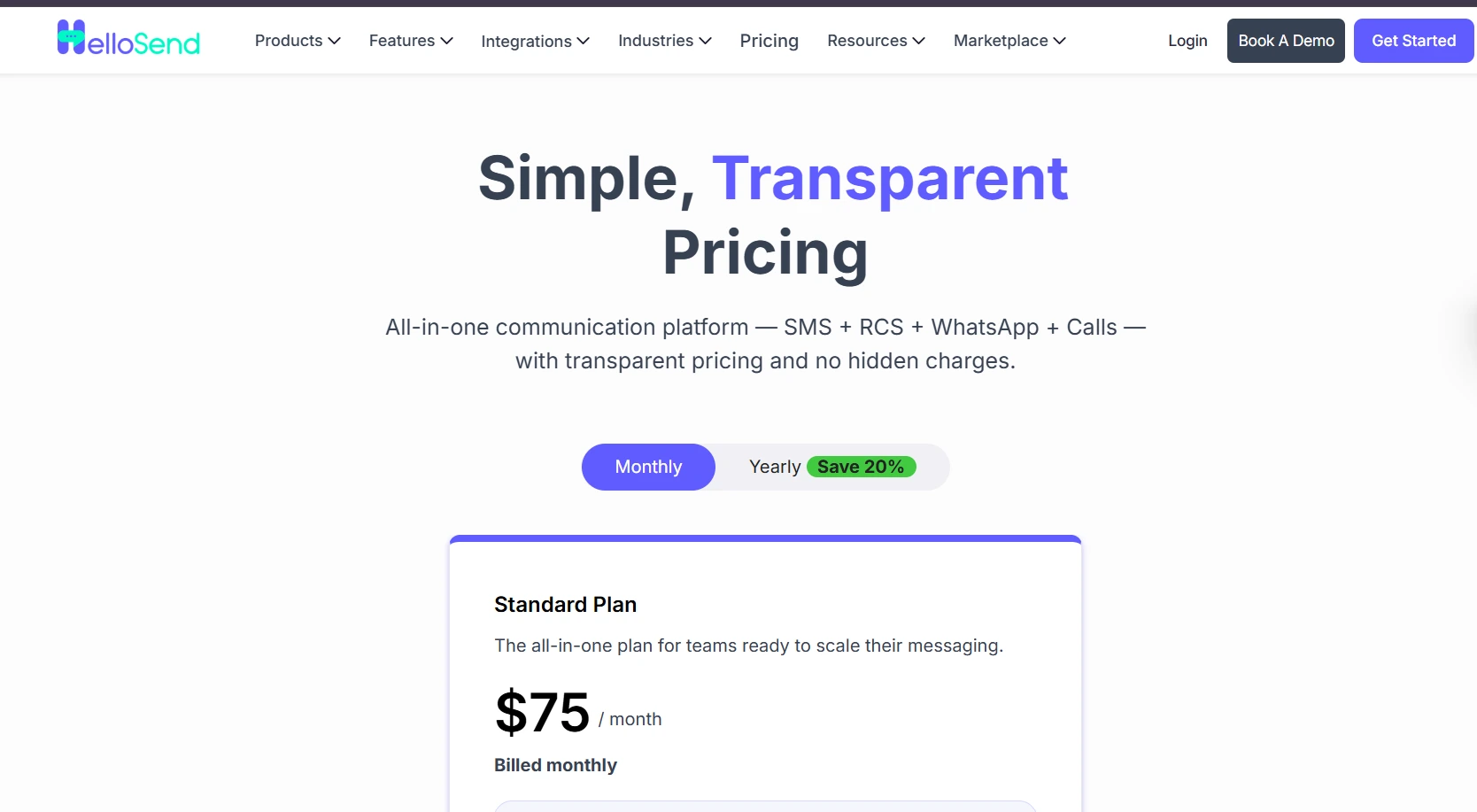
- Monthly: $75 per user/month (3 users)
- Yearly: $60 per user/month (3 users)
To learn more about it, please visit HelloSend pricing plans.
Conclusion
SMS automation is more than just a communication tool; it’s like a game-changer for businesses striving to boost customer relationships and ease operations. It lets you send the right message at the right time without manual effort by ensuring consistent engagement and improved customer satisfaction.
Moreover, with the right automated texting tool like HelloSend, businesses can reduce missed opportunities, drive more sales, and boost overall efficiency.
SMS automation ensures your communication is timely, relevant, and impactful whether you’re sending appointment reminders, promotional offers, or feedback requests.
FAQs
1. How do I automate text messages for my business?
Connect a messaging platform like HelloSend to your CRM, then set triggers for events such as a new lead or a deal stage change. Each trigger fires a pre-written template automatically. This removes manual sending from the workflow entirely.
2. How do you start an SMS business?
Research your target market, choose a compliant SMS platform, and register for 10DLC if you plan to message US numbers. Build a small set of value-added services, such as reminders or order updates, before scaling volume.
3. How to set up SMS automation?
Pick a platform like HelloSend, connect it to your CRM, and build templates tied to specific triggers. Activate the automation once the webhook and trigger are mapped correctly.
4. What types of businesses benefit from SMS automation?
Businesses that send repeat, time-sensitive messages benefit most: appointment reminders, order updates, renewal notices, or lead follow-ups. Service businesses, SaaS companies, and any team already tracking customers in a CRM see the biggest gains, since automation ties directly to CRM triggers. It works best for teams with enough message volume that manual sending has become a real time cost, not a handful of texts a week.
5. What's the easiest way to set up automatic SMS provider failover?
Keep a backup Twilio or RingCentral number authorized in HelloSend alongside your primary number. If the primary number has delivery issues, switch your sends to the backup number. HelloSend does not detect carrier failures and reroute messages on its own, so this switch is manual, not automatic.
.webp)


.webp)
