
Summarize this blog post with:
Quick summary
An AI agent for WhatsApp and SMS reads each customer message, pulls matching facts from your approved knowledge, and replies when those facts answer the question. Channel rules shape every reply: WhatsApp limits free-form replies to a 24-hour window, while SMS bills each 160-character segment and requires opt-out handling. Reply quality depends on your knowledge sources and handoff rules more than on the AI model, so test both before you go live.
A customer messages at 9:40 pm: “Can I add two more users on the annual plan?” Your AI agent has a few seconds to decide what the person is asking, whether your documentation holds the answer, and whether it should answer at all.
This guide traces that decision from the moment a message lands to the moment a reply goes out or a person takes over. Use it to judge whether an AI agent for WhatsApp enquiries fits your support queue before you commit budget or customer trust to one.
How To Create an AI agent for WhatsApp?
You can build an AI agent for WhatsApp yourself or use a messaging platform that includes one. Building it means setting up WhatsApp Business Platform access, an AI model, a system that searches your documents, and a way to pass conversations to your team, then maintaining all of it. A platform handles that setup, so your work is adding your business information and testing the answers.
How Do Agentic Replies Work Across SMS and WhatsApp?
The process generally follows three steps.
1. The customer sends a question
A customer asks about a product feature, account setup, pricing, or a common issue through WhatsApp or SMS.
2. The AI uses available business knowledge
The system interprets the message and uses relevant information from its configured sources to prepare a response.
3. The customer gets an answer or human support
The AI replies when it has enough information. If it cannot answer reliably, the conversation should have a clear path to a human agent.
The quality of the response depends on the information available and how well the system interprets the question. If the answer depends on a customer's current subscription or payment status, for example, the AI needs an appropriate data connection to verify it. A static help article alone cannot confirm that information.
Most agentic reply systems follow this: Reply receive, interpret, retrieve, draft, check, then send or hand off to a person.
How Does an AI Agent for WhatsApp Chat Differ From One Replying over SMS?
An AI agent for WhatsApp chat and an SMS agent run the same six stages. The rules around the final stage change, and those rules decide what a reply may say, how long it can run, and what it costs.
How Does an AI Agent for WhatsApp Automation Compare with Chatbots and Rule-based Flows?
The categories are not exclusive. Most mature setups combine them:
- Rules for opt-outs, business hours, and greetings, where the response never changes.
- Knowledge-based AI for open questions about features, setup, pricing, and policy.
- Tool-connected actions for account changes, once permissions and audit trails exist.
- A human for anything the first three cannot settle.
What does HelloSend’s Zeno Do with a Real Customer Question?
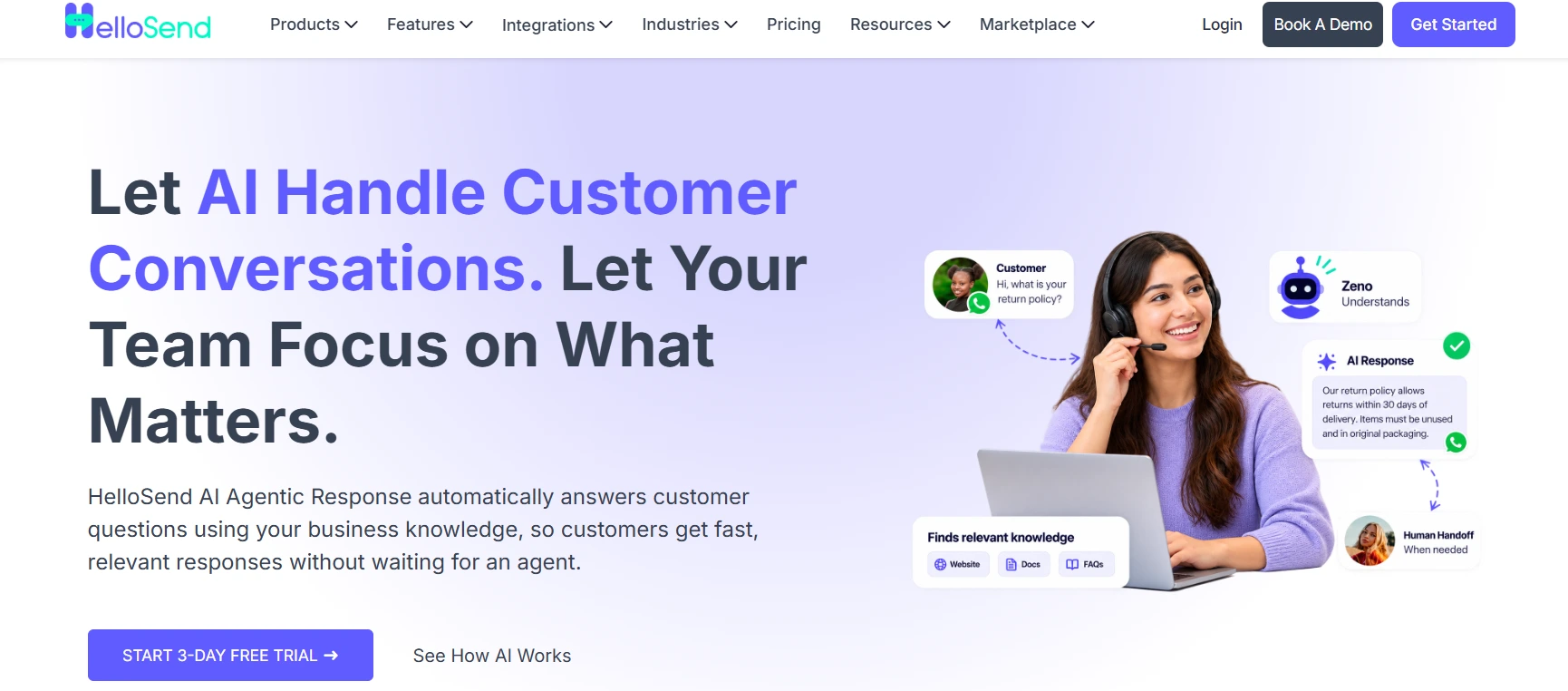
HelloSend’s AI Agentic Response runs on Zeno, an AI assistant that answers customer messages from business information you give it. Using it means you don’t have to build an AI agent for WhatsApp from scratch: you add your business information, test the answers, and switch it on. To see what that looks like in practice, take the 9:40 pm question from earlier and follow it through a HelloSend account.
What does Zeno know before the first message arrives?
Zeno knows what you load into it, and nothing else. HelloSend gives you three ways to add that knowledge:
- A website or Help Center URL. Zeno reads the text on the pages you add, such as your pricing page, setup guides, and troubleshooting articles.
- Uploaded documents. PDF, DOC, DOCX, TXT, and CSV files, up to 50 files at 40 MB each. An onboarding guide or a refund policy that lives in a PDF goes here.
- Question-and-answer pairs you write. These suit questions customers phrase in many ways, where you want the same answer every time.
Say a support team running HelloSend inside HubSpot adds its pricing page and Help Center, uploads a billing policy PDF, and writes five Q&A pairs for its most repeated questions. Those sources are the full set of facts Zeno can draw on.
How do you know the answers are right before customers see them?
Before you switch Zeno on, you test it in the Zeno Playground. You type the questions your customers send, read Zeno’s answer, and compare it with what your own team would say.
- Ask “Which plan suits a team of eight?” and check whether Zeno quotes the right per-user price.
- Ask the same question three different ways and see whether the answers stay consistent.
- Ask something your sources don’t cover, such as a custom contract term, and see how Zeno responds.
When an answer is wrong or thin, the fix sits in the source, not in Zeno. If your pricing page never explains how mid-term seat changes are billed, Zeno can’t explain it either, so you add a Q&A pair that covers it and ask again.
What happens when the customer messages at 9:40 pm?
Once you turn Zeno on, it answers incoming questions from the knowledge you added. Here is how the add-seats conversation plays out:
- Customer: “Can I add two more users on the annual plan?”
- Zeno: finds the per-user add-on price on the pricing page and replies with it.
- Customer: “Will I get a prorated credit for this month?”
- Zeno: finds no source that covers prorated credits, so the conversation goes to your team.
The same handoff happens when a customer asks to talk to a person. The next morning, your billing team answers one narrow question about credits, and the price question is already settled.
What should you know before you rely on it?
- Zeno is as current as your sources. When a price or policy changes, update the page or document and rerun your Playground questions. HelloSend’s setup guide also recommends removing outdated and duplicate content, since two versions of one fact confuse the answer.
- Zeno answers from documents, not live records. HelloSend’s documentation does not describe Zeno reading order, billing, or account data. Questions like “Why did my card fail?” need a person.
- It runs inside the CRM you already use. Zeno is documented for Zoho CRM, Pipedrive, Microsoft Teams, Salesforce, Zoho Desk, HubSpot, and Zendesk. HelloSend adds messaging to your CRM; it does not replace it.
- Messaging fees are separate. Carrier and Meta fees are billed at cost on top of your HelloSend plan, with no markup.
HelloSend offers a 3-day free trial, which is enough time to load your sources and run your 20 most common questions through the Playground. Judge Zeno on the answers you see there.
Wrapping Up: Is an AI Agent Right for Your Team?
The AI takes the repeat questions, and your people get time back for the conversations that need a human and the customer engagement strategies a full inbox keeps pushing aside.
Remember the 9:40 pm customer. The AI could answer the price question because the price was written down. The credit question went to a person because nobody had written that one down yet.
That's the whole secret. The AI is only as good as the answers you give it. So before you look at any tool, start here:
- Go through last week's messages and note the questions you answered more than once.
- Check whether each answer is written down somewhere clear and up to date.
- Decide which conversations should always go to a person, like complaints, payment problems, or anyone who asks for one.
Then try it on one channel first. Watch whether customers get what they need, not how many messages the AI sends, because that’s the real test of customer engagement.
FAQs
1. What is an AI agent for WhatsApp?
An AI agent for WhatsApp is software that reads customer messages and replies using your business information, such as help articles, pricing pages, and approved answers. It handles routine questions on its own and passes the conversation to a person when it doesn’t have the answer.
2. How is an AI agent for WhatsApp chat different from a chatbot?
A chatbot follows fixed menus and keyword rules, so it gets stuck when a customer asks a question in their own words. An AI agent for WhatsApp chat understands the question as written, finds the answer in your business information, and writes a reply.
3. How do AI agent replies work on SMS and WhatsApp?
The AI agent reads the customer’s message, works out what they’re asking, and looks for the answer in your business information. If it finds one, it replies. If it doesn’t, or the customer asks for a person, it hands the conversation to your team.
4. How do I build an AI agent for WhatsApp?
You can build an AI agent for WhatsApp yourself or use a messaging platform that includes one. Building it means setting up WhatsApp Business Platform access, an AI model, a system that searches your documents, and a way to pass conversations to your team, then maintaining all of it. A platform handles that setup, so your work is adding your business information and testing the answers.
5. Can I keep using the WhatsApp Business app after adding an AI agent?
Yes, if your provider supports Meta’s coexistence option. Coexistence lets the WhatsApp Business app and the AI agent share one phone number, with messages syncing between them. You must open the app at least once every 14 days to keep the connection active, and some app features change, so check the details with your provider.





.webp)
