

Summarize this blog post with:
Quick Summary
Abandoned cart SMS reminds shoppers to complete purchases they left unfinished. Send the first reminder 30–60 minutes after cart abandonment and a second message only if the shopper has not purchased. HelloSend helps businesses manage SMS conversations, automate follow-ups through CRM workflows, and keep customer interactions on CRM contact records.
A shopper adds a jacket to their cart, gets a call, and leaves without checking out. Two hours later, the cart is still waiting, but the shopper may have moved on.
An abandoned cart SMS gives ecommerce businesses another chance to bring that shopper back. A short reminder with a direct checkout link makes it easier to return to the saved cart and complete the purchase.
This blog covers 12 abandoned cart SMS templates, when to send them, and how to automate follow-ups.
It also explains how HelloSend connects SMS communication with your CRM, so your team can manage customer replies and follow-ups from one place.
What Is an Abandoned Cart SMS, and Why Does It Work?
An abandoned cart SMS is an automated text sent to shoppers who add products to their online cart but leave before completing checkout. It reminds them about their items and includes a link to return to their saved cart. With HelloSend, businesses can manage SMS conversations through their CRM and keep customer replies and history on contact records.
SMS works well for cart recovery for three reasons:
- Direct communication: Shoppers receive the reminder on their mobile phones instead of having to check their email inbox.
- Easy checkout: A direct cart link takes shoppers back to their saved items.
- Two-way conversations: Shoppers can reply with questions about sizing, delivery or payment.
Example:
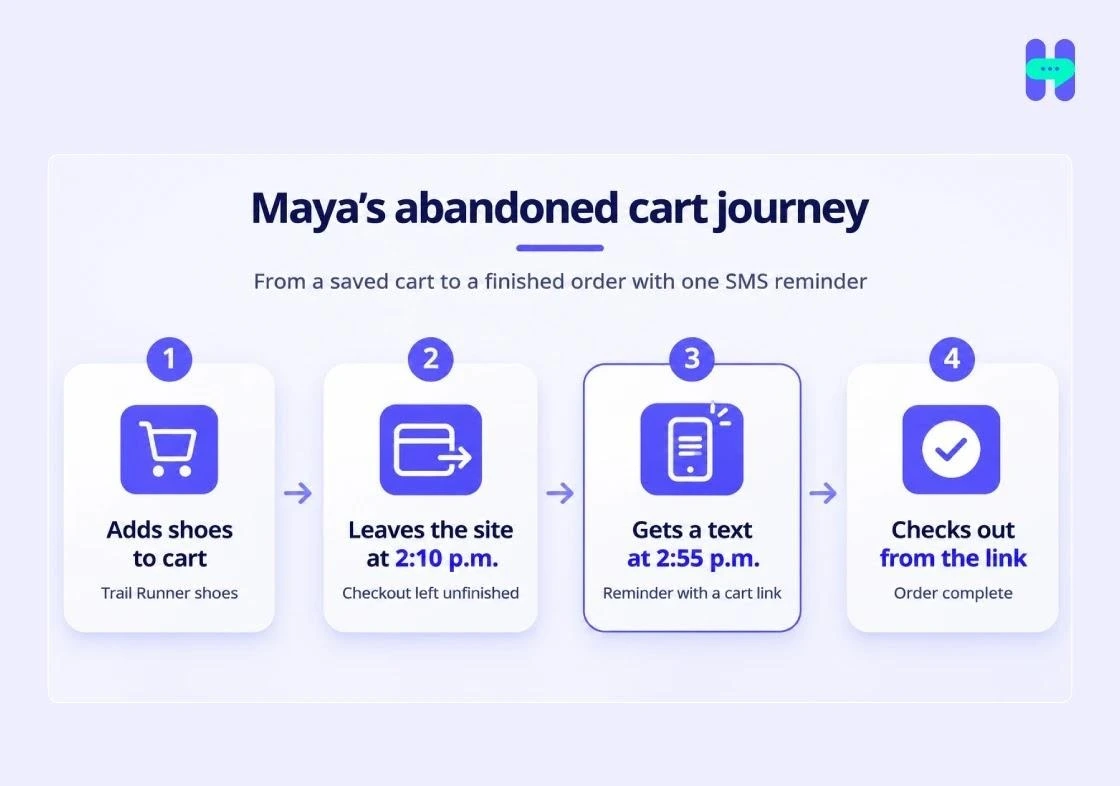
Maya adds a pair of Trail Runner shoes to Northtrail's online cart but leaves before checkout.
Northtrail sends her a reminder:
"Hi Maya, your Trail Runner shoes are still in your cart. Complete your order here: [Cart Link]. Reply STOP to opt out."
Maya opens the link, reviews her cart and completes the purchase.
The message gives Northtrail another opportunity to complete the sale without asking Maya to search for the product again.
When Should You Send an Abandoned Cart Text?
Send the first abandoned cart text 30–60 minutes after a shopper leaves without purchasing. If there is no purchase, send one follow-up 4–24 hours later. Stop the sequence immediately after a completed purchase or opt-out.
Two messages are a reasonable starting point for most stores. Test the timing against your audience and purchase cycle to find what works.
Example: Maya's abandoned cart sequence
- 2:10 p.m.: Maya leaves her cart without purchasing.
- 2:55 p.m.: Northtrail sends a reminder with her checkout link.
- Next morning: If Maya has not purchased, Northtrail sends a message offering help with sizing.
- After purchase: The CRM workflow stops further reminders.
The second message should address a possible reason for abandoning the cart. Sending the same reminder twice gives shoppers little reason to engage.
How Do Quiet Hours Affect Abandoned Cart SMS Timing?
Avoid sending cart reminders overnight. Schedule them during appropriate daytime hours based on the recipient's local time and applicable federal and state restrictions.
Federal rules generally restrict covered telephone solicitations to 8 a.m.–9 p.m. in the recipient's local time. State laws may impose additional restrictions. The application of these rules to a particular SMS campaign should be reviewed with legal counsel.
Configure your CRM workflow to hold messages during restricted hours and release them at an appropriate time. Do not assume that your CRM automatically knows or applies the recipient's local time.
What Makes a Good Abandoned Cart Text?
A good abandoned cart text identifies your brand, mentions the shopper's item, includes one checkout link, and gives the recipient an easy way to opt out. Keep the message short, use one clear CTA, and stay under 160 characters where possible.
Five elements make a useful cart recovery message:
- Brand name: Let shoppers know who is contacting them.
- First name: Use a CRM merge field to personalize the message.
- Product reference: Mention the item left in the cart.
- Checkout link: Use one short, working link to the saved cart.
- Opt-out instruction: Include a clear way to stop marketing messages.
Weak vs. strong abandoned cart text
Weak:
"HURRY!!! U left stuff in ur cart. BUY NOW before its gone!!! shop.example.com/cart/8f2k91xq7m3..."
Strong:
"Hi Maya, Northtrail here. Your Trail Runner shoes are still in your cart. Finish checkout: northtrail.co/c/8f2k. Reply STOP to opt out."
The stronger version identifies the sender, references the product and gives the shopper one clear action.
Test every merge field and checkout link before activating the campaign. A missing first name or broken cart URL can make an otherwise useful reminder ineffective.
12 Abandoned Cart SMS Templates You Can Copy
Use these abandoned cart SMS templates based on the shopper's purchase stage, cart contents, and possible reason for leaving.
Replace the sample brand, product, and checkout URL with fields from the CRM cart record. For messages beyond cart recovery, browse these 30 SMS marketing templates.
1. Abandoned Cart Reminder SMS Templates
Best for: First reminder
Template 1: Simple cart reminder
Template 2: Saved-cart reminder
Template 3: Product-specific reminder
2. Urgency-Based Abandoned Cart SMS Templates
Best for: Second reminder, when the claim is accurate
Template 4: Low-stock reminder
Use this only when inventory data confirms low stock. Do not create artificial scarcity.
Template 5: Cart expiration reminder
Use this only if the cart or offer genuinely expires at the stated time. Running a time-limited sale beyond cart recovery?
Try these flash sale SMS templates.
3. Discount and Incentive-Based SMS Templates
Best for: Price-sensitive shoppers
Template 6: Percentage discount
Template 7: Free shipping
Template 8: Free gift
Apply discounts or gifts only when the business has approved the promotion. Make offer conditions clear.
4. Objection-Handling Abandoned Cart SMS Templates
Best for: Shoppers who may need more information
Template 9: Easy returns reminder
Template 10: Help with product questions
Template 11: Quick checkout reminder
5. Final Abandoned Cart SMS Template
Best for: End of the sequence
Template 12: No-pressure final reminder
Do not send another reminder after this message unless the shopper starts a new conversation or provides the required consent for another messaging campaign.
For more ready-to-use message formats, visit the HelloSend template library.
Which Abandoned Cart SMS Should You Send to Different Shoppers?
Choose the message based on the shopper's purchase history, cart contents, and possible reason for leaving. First-time visitors may need a simple reminder, while shoppers with product questions may respond better to a help message.
Examples:
- First-time visitor: "Your Trail Runner shoes are still waiting in your cart. Complete your order here: [Cart Link]."
- Repeat customer: "Need help choosing the right size? Reply here, and our team can help."
- High-value cart: "Your $240 cart is still saved. Need help with shipping or checkout? Reply to this text."
A $240 cart may justify a personal assistance offer, while a $29 cart may only need a simple reminder. These are examples, not universal cart-value thresholds. Set your own segments based on order value, margins, and customer history.
How to Send Abandoned Cart SMS from Your CRM Using HelloSend
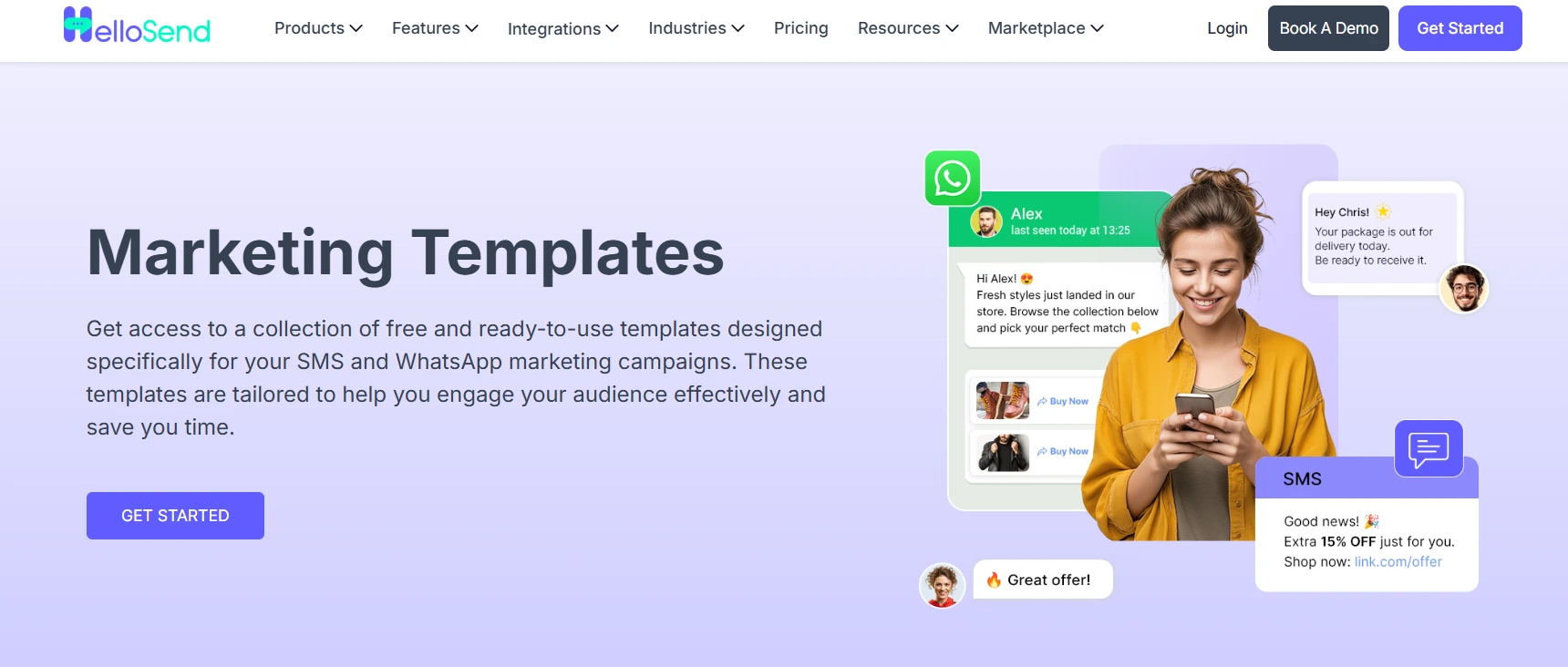
HelloSend lets businesses manage SMS communication through their CRM, keep customer conversations on contact records, and handle replies from a unified inbox. To automate abandoned cart reminders, connect ecommerce cart events to your CRM, then use HelloSend to send messages through the connected provider.
Follow these steps:
Step 1: Install HelloSend
Install HelloSend from your supported CRM marketplace. Connect it to the CRM where your team manages customer records and communication.
Step 2: Connect your messaging provider
Connect your supported Twilio or RingCentral account to HelloSend. This allows your business to send and receive messages through the connected provider.
Step 3: Register for 10DLC
If you use a US local 10-digit number to send application-to-person messages, complete the required A2P 10DLC brand and campaign registration.
HelloSend offers 10DLC registration assistance for a one-time $100 fee. Confirm the applicable registration requirements before sending.
Step 4: Sync abandoned cart data with your CRM
Connect your ecommerce platform to your CRM using a supported integration, webhook or API.
Make sure the CRM receives the information needed for the reminder:
- Shopper's name and phone number.
- Cart contents and product names.
- Cart checkout URL.
- Cart abandonment event and timestamp.
- SMS consent status.
The CRM needs this information before it can trigger an accurate reminder. Verify that your ecommerce integration supports these fields.
Step 5: Build your automated SMS workflow
Create a CRM workflow that triggers when a shopper abandons a cart.
Add the first reminder using CRM merge fields such as [First Name], [Product Name] and [Cart Link].
Step 6: Set delays and stop conditions
Set the first message to go out after 30–60 minutes. Add a second reminder only if the shopper has not purchased.
Add conditions to stop the workflow when:
- The shopper completes the purchase.
- The shopper replies STOP.
- The contact is no longer eligible to receive marketing messages.
Also configure appropriate sending hours.
Step 7: Manage replies from the unified inbox
When a shopper replies with a question about sizing, delivery or payment, your team can manage the conversation through HelloSend's unified inbox.
Since conversations are linked to CRM contact records, your team can review previous interactions without switching between separate messaging tools.
HelloSend pricing
HelloSend separates its software subscription from messaging provider and carrier charges.
Carrier and messaging provider fees are billed separately, without a HelloSend markup.

How Do You Measure and Improve Abandoned Cart SMS Performance?
Measure abandoned cart SMS by tracking recovered orders, revenue, delivery, clicks and opt-outs. Use recovered orders and attributed revenue to judge whether your campaign contributes to purchases, rather than relying on delivery or click rates alone.
Test one change at a time
Run controlled tests to identify what works for your audience.
- Timing: Compare a 30-minute reminder with a 60-minute reminder.
- Opening line: Test a product-specific reminder against a simple cart reminder.
- Offer: Compare a plain reminder with an approved free-shipping offer.
Keep the audience and other campaign conditions as consistent as possible. Measure recovered orders rather than choosing a winner based only on clicks.
Example calculation:
If 10 shoppers complete purchases after your SMS campaign and the average order value is $50:
Recovered revenue = 10 × $50 = $500.
This is illustrative math, not a HelloSend performance claim. Use your attribution method to distinguish SMS-attributed purchases from orders that may have happened without the reminder.
Five Mistakes That Cost You Recovered Sales
Avoid these mistakes when building your abandoned cart SMS workflow:
- Sending too many reminders: Repeated texts can frustrate shoppers and increase opt-outs.
- Offering discounts first: A simple reminder may be enough to bring a shopper back.
- Ignoring completed purchases: Stop the sequence as soon as the shopper buys.
- Sending without consent: Collect and verify the required marketing SMS consent first.
- Using broken or long links: Test checkout URLs and use short, working links that take shoppers to the correct cart.
Conclusion
Abandoned cart SMS gives ecommerce businesses another way to reconnect with shoppers who leave before checkout. Start with a reminder 30–60 minutes after abandonment, follow up only when needed, and stop messages after a purchase or opt-out.
HelloSend helps teams manage SMS conversations through their CRM, automate follow-ups and keep customer interactions on contact records.
Start your 3-day free trial to see how HelloSend fits into your ecommerce messaging workflow.
FAQ
1. What are some effective abandoned cart SMS examples?
Effective abandoned cart SMS examples name the brand, mention the item and give one checkout link. For instance, “Hi Maya, Northtrail here. Your Trail Runner shoes are still in your cart. Finish checkout at northtrail.co/c/8f2k. Reply STOP to opt out.” Later texts can add a help line or an approved offer.
2. What should an abandoned cart SMS template include?
An abandoned cart SMS template needs five parts. Include your brand name, the shopper’s first name, the item left behind, one checkout link and an opt-out line. Keep it under 160 characters where possible. Use CRM merge fields so each part fills in automatically.
3. When is the best time to send an abandoned cart SMS?
Send the first abandoned cart SMS 30 to 60 minutes after the shopper leaves. Send a follow-up 4 to 24 hours later only if there is no purchase. Hold overnight texts and send them after 8 a.m. in the shopper’s local time. Test timing against your own recovered orders.
4. How many abandoned cart SMS messages should you send?
Send two abandoned cart SMS messages for most stores. The first is a reminder. The second goes out only if the shopper has not bought. Stop the sequence at purchase or opt-out. Add a third only after a test shows it recovers orders without raising opt-outs.