

Summarize this blog post with:
Quick Summary
Salesforce centralizes customer data, but SMS, WhatsApp, and calls often run in separate tools outside it. Salesforce messaging closes that gap by putting all three channels inside Salesforce, tied to Salesforce workflow rules. This blog tries to address all your concerns regarding how each channel works, how they connect into one process, and what to check before you pick a platform.
Run SMS, WhatsApp, and Voice through Salesforce, and every message logs itself to the record. No exporting a spreadsheet, no digging through three inboxes before a call. A rep stops asking a customer to repeat themselves, and support stops guessing what happened on WhatsApp an hour ago.
Here's the strange part: Salesforce probably knows more about your customer than anyone on your team does, right down to the deal stage and the last support ticket. What it doesn't know is what you texted them last Tuesday.
That's not a data problem. It's a location problem. The demo confirmation, the WhatsApp back-and-forth about pricing, and the call where someone finally said yes, all of it happened somewhere Salesforce can't see.
And that has a cost. A rep re-explains something a customer already told someone else, a support ticket gets answered without the full picture, and RevOps ends up guessing which conversation moved a deal because nothing ties the two together.
Here's how to close that gap, channel by channel.
What Is Salesforce Messaging?
We communicate with brands through messaging. Salesforce messaging gives an enhanced chat experience. With the help of your preferred messaging channel (WhatsApp, Facebook Messenger, LINE, Apple Messages for Business, or SMS), you can message all from one browser tab.
Salesforce itself has no built-in way to send a text or a WhatsApp message. Most teams instead connect a dedicated messaging layer that installs inside the Salesforce UI and works off records you already manage.
A working Salesforce messaging setup gives you:
- Native access inside Salesforce. No separate login, no third-party dashboard to check.
- Two-way conversations. Customers reply, and the reply lands back on the record.
- Automation tied to workflow rules. A message fires when a Salesforce event says it should, not when someone remembers to send it.
- Automatic activity logging. Every message and call attaches to the record without manual entry.
- Reporting inside Salesforce. No pulling data from a second system to see what worked.
Why Do Salesforce Teams Lose Conversations Across Separate Tools?
Teams lose conversations when SMS, WhatsApp, and calling run through tools that never intermingle with Salesforce, which means every conversation lives in a place the CRM record cannot see.
Three patterns show up once that happens:
- Data fragmentation. Messages and calls stay outside Salesforce, so the record only tells half the story.
- Follow-ups depend on memory. Without automation, someone has to remember to text the lead back, and sooner or later, someone will not.
- Reporting stalls at "we sent messages." Without a link between conversation and outcome, RevOps cannot show which channel moved a deal.
How Do You Manage SMS Messaging Inside Salesforce?
SMS inside Salesforce works by connecting a messaging platform to your Salesforce workflow rules, so a text sends the moment a defined CRM event happens, no manual step required.
Sales, support, and marketing teams use it for:
- Lead follow-ups. A new lead record triggers an introduction text within minutes, not by the end of the day.
- Sales reminders. An opportunity that sits inactive for a set number of days triggers a nudge to the rep or the prospect.
- Customer updates. Appointment reminders, order status, and account notifications go out without a rep touching a phone.
HelloSend acts as the communication layer connected to Salesforce.
Let’s see how it works.
How HelloSend handles this: HelloSend connects to Salesforce through a workflow-rule-based integration. Pick the trigger, such as a new lead or a stage change, and HelloSend fires the text the moment it happens. The reply lands back in the same Salesforce record, so nothing lives in a separate app.
How Do You Manage WhatsApp Conversations Inside Salesforce?
WhatsApp inside Salesforce runs on the WhatsApp Business API, which lets teams hold two-way conversations, send rich media, and automate messages from Salesforce records, but it follows a different rule than SMS does.
Common use cases:
- Sales conversations. A prospect asks about pricing on WhatsApp, and a rep answers from inside Salesforce.
- Onboarding. Documents, videos, and setup instructions go out as rich media instead of plain text links.
- Support. Customers get a reply in minutes instead of waiting in an email queue.
How HelloSend handles this: HelloSend runs on the WhatsApp Business API inside Salesforce, so the same 24-hour rule applies. Inside the window, your team replies straight from the record. Outside it, HelloSend switches to your approved template, so an automation built for SMS still works on WhatsApp instead of failing silently.
How Do You Manage Voice Calls Inside Salesforce?
Voice calling inside Salesforce means a rep places or receives a call from the contact record itself, with the call logged and attached to that record without a separate dialer or manual note-taking.
Without CRM-connected calling, reps look up numbers by hand, call notes go missing, and managers have no visibility into what was said. With calling built into Salesforce:
- A call starts from a single action on the Lead or Contact record.
- The call logs itself, with recording and duration attached.
- The next follow-up task can be created straight from the call outcome.
How HelloSend handles this: Calls start and end on the Contact or Lead record inside Salesforce. HelloSend attaches the recording, duration, and call notes to that record on its own, and routes inbound calls to the right rep. When no one is free to pick up, an AI voice agent can take the call instead of sending it to voicemail.
How Do Salesforce Messaging Channels Work Together in One Workflow?
The value of unifying these three channels—SMS, WhatsApp, and voice calls—shows up when a single customer journey moves across all of them without losing context, because every touchpoint stays on the same record instead of scattering across separate tools.
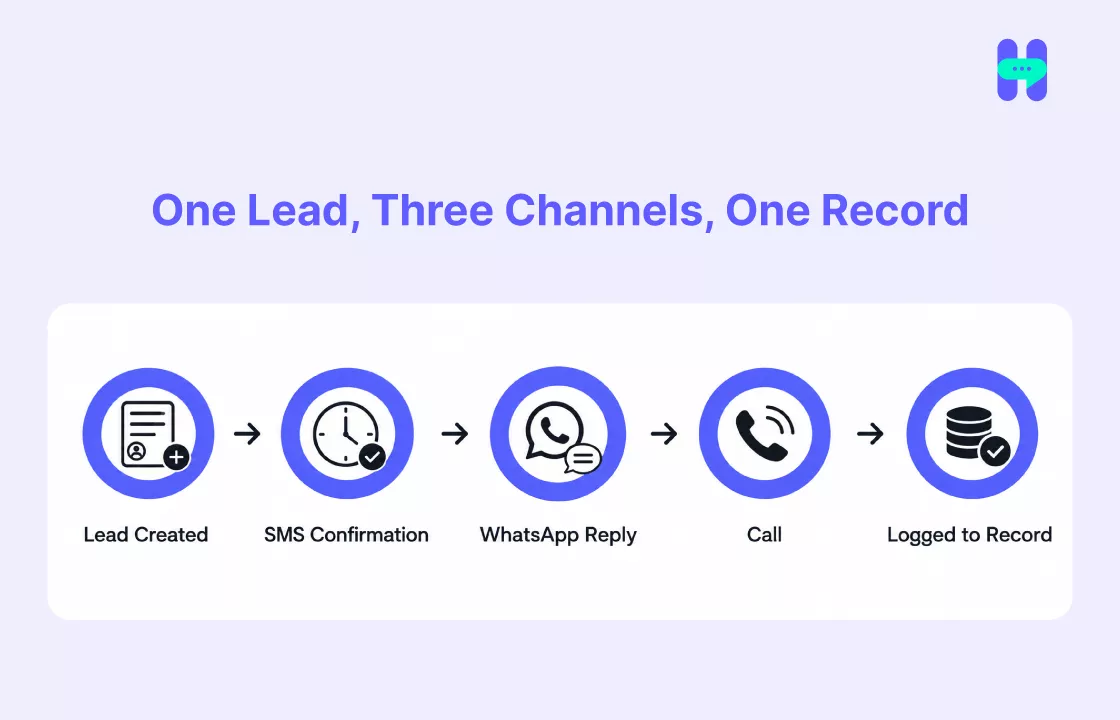
A lead conversion example:
- A lead fills out a demo form. Salesforce creates the record.
- An SMS confirmation goes out without anyone touching it.
- The customer replies through WhatsApp with a question about pricing.
- A rep calls from Salesforce to close the objection.
- The full conversation history, text, WhatsApp thread, and call log stay attached to the record.
No rep has to ask, "Did anyone already talk to this person?" because the answer is sitting on the record they are already looking at.
What Salesforce Workflows Can You Automate With Messaging?
How Do You Choose the Right Salesforce Messaging Platform?
The right platform question comes down to whether the tool runs inside Salesforce or bolts on beside it, since that single distinction decides how much manual work your team does every day.
Check for:
- Native Salesforce access. Does it live inside the Salesforce UI, or does it open a separate tab?
- Automation tied to workflow rules. Can it trigger SMS, WhatsApp, or voice from a Salesforce event without custom development?
- Automatic logging. Does every message and call attach to the record without manual entry?
- Two-way messaging across channels. Can your team reply to SMS and WhatsApp from the same place they manage the deal?
- Analytics inside Salesforce. Can you see what worked without exporting to a separate dashboard?
There are dedicated Salesforce integrations like HelloSend.
See the HelloSend Salesforce integration.
What Mistakes Do Teams Make Setting Up Salesforce Messaging?
Most setup problems come from treating messaging like an afterthought instead of a workflow decision made up front, and the same handful of mistakes show up across teams that skip that step.
- Treating WhatsApp like SMS. Automating a WhatsApp follow-up without a pre-approved template ready means the message fails with no warning once the 24-hour window closes.
- Skipping opt-in tracking. Sending SMS or WhatsApp without documented consent creates a compliance problem before it creates a customer relationship.
- Building automation outside Salesforce, then bolting it on. Workflows built in a separate tool and connected after the fact tend to break the first time a field changes.
- No clear conversation ownership. Without assignment rules, two reps answer the same thread, or no one does.
- Ignoring the analytics. Teams that never check open rates or response times keep running the same underperforming sequence for months.
HelloSend: One Communication Layer inside Salesforce
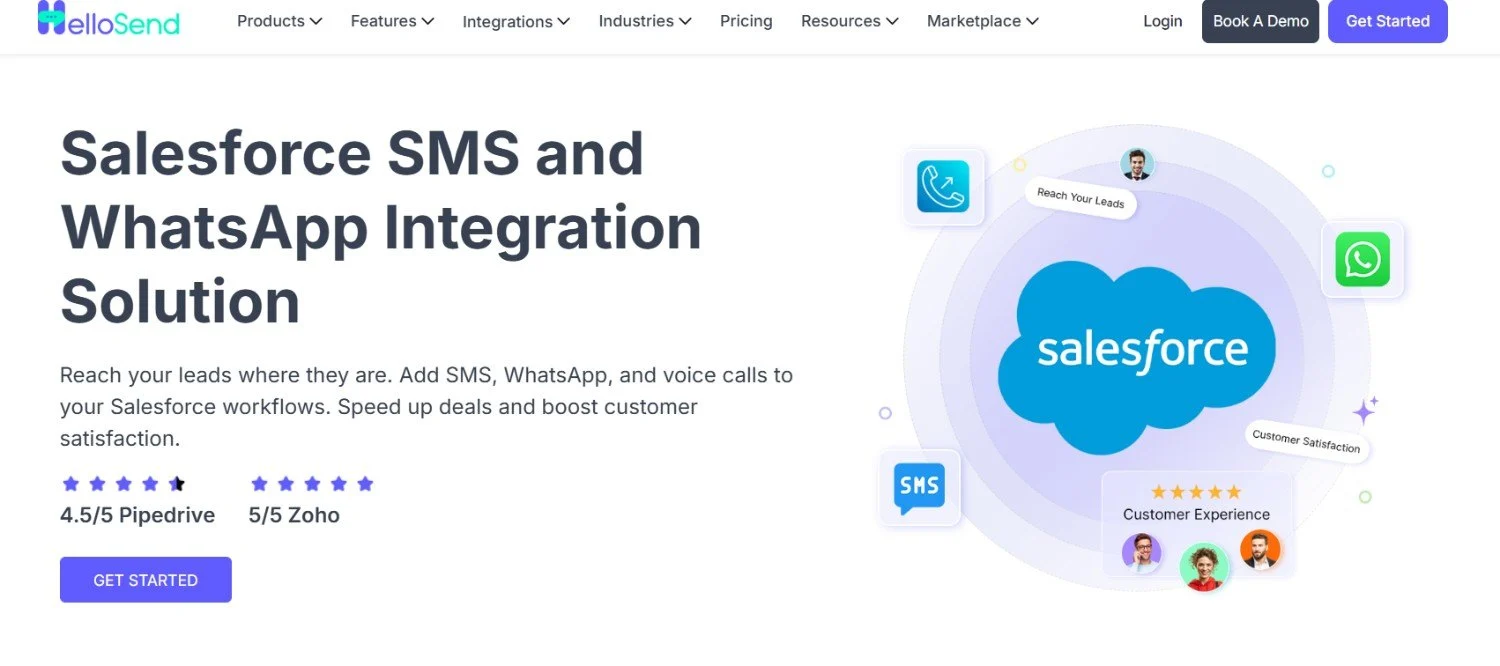
Salesforce keeps every customer record in one place, but customer conversations often remain scattered across different channels. A customer may text about a product, ask a question on WhatsApp, and later call a sales representative, but without a connected communication layer, those interactions stay disconnected.
HelloSend connects Salesforce with SMS, WhatsApp, and voice communication, allowing sales, marketing, and support teams to manage conversations using the customer data they already have.
With HelloSend, teams can:
1. SMS Marketing
SMS still gets read faster than almost any other channel. HelloSend lets teams build, schedule, and send campaigns without leaving their existing workflow, and without messaging each customer one at a time by hand.
2. WhatsApp Marketing
Plenty of customers now default to WhatsApp over email or phone. It's real-time, supports rich media, and feels less formal, and that's exactly why tools that treat it as its own separate inbox end up losing track of it.
HelloSend pulls WhatsApp into the same workflow as everything else.
Connected to Salesforce data, these conversations get more relevant and stay part of the customer's history instead of disappearing into someone's phone.
3. Voice Calls
Not every conversation fits into a message. Sales calls and support escalations still happen on the phone, and HelloSend treats those the same way it treats SMS and WhatsApp: as part of the same customer record, not a separate system.
Salesforce keeps every customer record in one place, but the actual conversations rarely stay in one place. Customers text, message on WhatsApp, and call, often in the same week about the same issue. HelloSend brings SMS, WhatsApp, and voice into that same workflow, so sales, marketing, and support teams work from one thread instead of piecing together three.

Pricing: Full plan details are on the HelloSend pricing page.
The Bottom Line: Turn Salesforce Data Into Automated Conversations
Salesforce already has the customer data teams need to create better conversations: contact details, deal stages, support history, and engagement signals. The missing piece is connecting that data to a communication layer that can automatically send the right message at the right time.
By bringing SMS, WhatsApp, and Voice into Salesforce, teams can reduce manual follow-ups, keep every conversation connected to customer records, and give sales and support teams the context they need to respond faster.
HelloSend helps businesses manage these channels from one Salesforce workflow, so teams spend less time switching between tools and more time building customer relationships.
Ready to unify your Salesforce conversations?
See how HelloSend can help your team manage SMS, WhatsApp, and Voice in one platform.
Frequently Asked Questions
1. What counts as "Salesforce messaging"?
Salesforce messaging is any SMS, WhatsApp, or voice conversation that runs through Salesforce and logs to the contact, lead, or opportunity record. It is not a single Salesforce product. It is the general term for connecting messaging channels to Salesforce data, usually through a dedicated integration since Salesforce has no native messaging of its own.
2. Does Salesforce send text messages natively?
No. Salesforce has no built-in SMS or WhatsApp sending feature. Businesses connect a third-party platform, such as HelloSend, or use Salesforce Digital Engagement, a separate Service Cloud add-on with its own licensing.
3. How do you set up SMS, WhatsApp, and Voice inside Salesforce?
Connect the right multichannel messaging platform to your Salesforce org through its integration, authorize the connection, and the messaging interface appears inside the Salesforce UI. No separate login or third-party dashboard is needed once it is connected.
4. Can messaging be automated from Salesforce workflow rules?
Yes. A Salesforce workflow rule can trigger an SMS, WhatsApp message, or voice call when a defined event happens, such as a new lead, a deal stage change, or an inactive opportunity, without a rep sending it by hand.
5. What is the difference between automating SMS and automating WhatsApp in Salesforce?
SMS has no time restriction: a workflow rule can send one at any point. WhatsApp only allows free-form automated replies inside a 24-hour window that opens when the customer last messaged you. Outside that window, WhatsApp requires a pre-approved message template, so any automation built for WhatsApp needs a template ready before it goes live.
6. What are the real benefits of omnichannel customer engagement in Salesforce?
Beyond a shared inbox, the main benefit is that audience segmentation pulls straight from live Salesforce fields, such as lead status or deal stage, so a campaign always reflects current CRM data instead of a list exported last week. The second benefit is fewer dropped threads, since a rep opening any record sees every channel's history in one place.





.webp)
