


Summarize this blog post with:
Quick Summary
Utilize Zoho CRM automation to streamline sales processes, automate follow-ups, and reduce bottlenecks, helping your team accelerate the sales cycle and close deals faster with improved efficiency.
Automation allows businesses to save time, reduce human error, and improve efficiency. It handles everything from lead capturing to follow-ups, so your sales team can focus on what they do best: closing deals.
According to data, 97% of businesses use CRM systems to streamline their operations. Zoho CRM provides a solid foundation for sales automation, but there are still areas that could benefit from a little extra boost.
Even with Zoho CRM automation in place, many sales teams still face lingering challenges. Sales cycles may be longer than expected, follow-ups might not always happen on time, and this can delay decision-making.
In this blog, we’re going to show you tips, tool and more of Zoho CRM automation that can help you overcome these challenges.
Overcoming Sales Bottlenecks With Zoho CRM Automation
Even with CRM automation in place, sales teams often encounter persistent challenges.
- Manual follow-ups
- missed opportunities
- and delayed responses
The above are common issues that slow down the sales cycle. Sales reps may be overwhelmed by routine tasks, resulting in inconsistent follow-up and, ultimately, missed opportunities. These bottlenecks can lead to stalled deals and lost revenue, making it harder to meet sales targets.
- Zoho CRM Automation helps eliminate these bottlenecks by automating time-consuming tasks that bog down your sales team.
- Lead qualification, assignment, and follow-up tasks can be fully automated. With workflows in place, leads are immediately assigned to the right reps, and follow-up tasks are scheduled automatically, ensuring that no lead is forgotten.
- This frees your team to focus on building relationships with prospects rather than getting caught up in administrative work.
How To Maximize Sales Efficiency Using Zoho CRM Workflow Automation
To truly maximize your sales efficiency, it's crucial to go beyond the basics of automation. Zoho CRM offers a wealth of advanced workflow automation and Zoho SMS integration tools that can streamline even the most complex aspects of your sales process.
Examples Of Workflow Automation
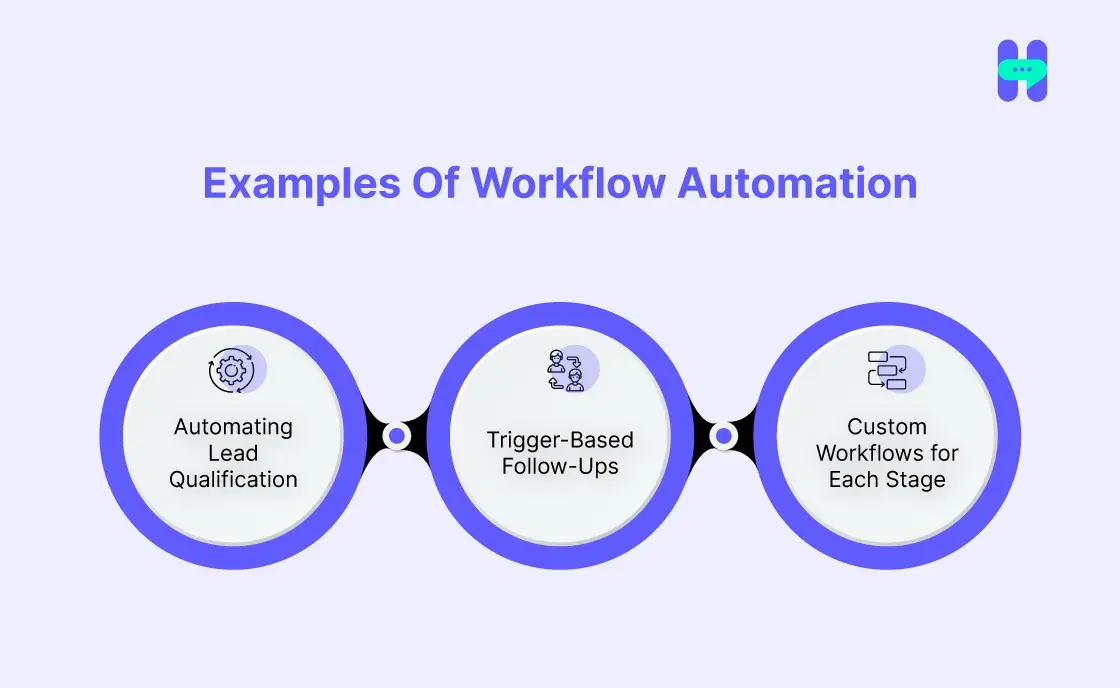
- Automating Lead Qualification:
One of the most powerful aspects of Zoho CRM is the ability to automate lead qualification. Instead of manually sifting through leads, Zoho CRM can score them using predefined criteria, such as engagement level or demographic data. - Trigger-Based Follow-Ups:
Another major efficiency booster is trigger-based follow-ups and task assignments. With Zoho CRM workflows, you can set triggers that automatically initiate actions based on lead behavior. - Custom Workflows for Each Stage:
Each stage of the sales funnel requires a different approach, and Zoho CRM lets you create custom workflows tailored to each stage. From initial lead capture to deal closure, workflows can be customized to automatically send targeted messages and trigger tasks for the sales team to act on.
Reducing Sales Cycle Time With Automated Lead Engagement
A lead’s journey begins when they enter your CRM and progresses through stages such as qualification, engagement, nurturing, and conversion. Timely actions, follow-ups, and touchpoints are crucial at each stage. The longer the process drags on, the more likely the lead will lose interest. The goal is to accelerate this journey while maintaining high-quality engagement to drive conversions.
One of the most powerful features of Zoho CRM automation is its ability to efficiently move leads through the sales pipeline. You can do the best CRM workflow management easily. By setting up automated workflows, you can ensure that each stage of the sales funnel is handled without delay.
For example:
- Lead Qualification: When a new lead enters the CRM, Zoho can automatically assess its value based on predefined criteria (like behavior, demographics, or interactions). This automation immediately determines whether the lead should move forward or be nurtured further, preventing manual delays in the first step.
- Task Assignments: Once a lead is qualified, Zoho CRM workflows can automatically assign the lead to a sales rep for follow-up. This eliminates the need for manual intervention and ensures that leads are promptly contacted by the appropriate person.
- Follow-Ups and Reminders: Set up automated follow-up tasks and reminders for sales reps to ensure no lead is forgotten or left without a timely response. For example, after a demo or meeting, Zoho can trigger a follow-up action based on the lead’s behavior or engagement level.
While Zoho CRM excels at managing workflows and automating tasks, real-time communication can still be a challenge. That’s where HelloSend comes in. By integrating HelloSend with Zoho CRM, you can automate SMS and WhatsApp messages at each critical stage of the sales process.
Supercharge Your Sales With HelloSend Zoho CRM Automation
HelloSend supercharges your sales process by seamlessly integrating SMS, WhatsApp, and Voice Call Support directly into Zoho CRM. This powerful combo lets you reach your entire target audience in seconds, while automating and personalizing every message.
With HelloSend, you are not just sending messages. You are driving engagement with timely, relevant communication that moves leads through your sales funnel faster.
Whether it's bulk campaigns or one-on-one interactions, you will streamline communication, accelerate response times, and keep prospects engaged at every stage.
This Zoho CRM integration transforms your workflow with automated follow-ups, clear analytics, and customizable templates that save your team valuable time, keeping them focused on what matters most: closing deals faster.

Top Features Of HelloSend for Zoho CRM Integration
HelloSend Pricing
HelloSend offers flexible pricing options to fit businesses of all sizes. Whether you’re a small team or an enterprise, there’s a plan tailored to your messaging needs.
Visit HelloSend pricing website for detailed pricing or contact their team for personalized recommendations based on your requirements. Start using HelloSend today to elevate your communication within Zoho CRM!

Key Tips to Speed Up Your Sales Cycle with Zoho CRM Automation

- Automate Lead Qualification and Scoring: Automating lead scoring with Zoho CRM ensures that high-potential leads are prioritized from the start. Based on factors such as engagement level and demographics, your CRM automatically qualifies leads, enabling your sales reps to focus on the most promising opportunities, boosting efficiency and shortening the sales cycle.
- Set Up Workflow Automation for Routine Tasks: Repetitive tasks such as lead assignment, automate tasks in zoho crm, task reminders, and data entry can consume valuable time. By automating these processes with Zoho CRM workflows, your sales team can focus on selling rather than administrative tasks, accelerating deal closures and freeing up time for high-priority activities.
- Implement Smart Task Reminders and Alerts: Never miss a follow-up again. Automated reminders and alerts ensure that your team stays on top of important tasks. Whether it’s following up after a demo or reaching out to a lead that has gone cold, Zoho CRM sends timely reminders to keep your sales process moving forward, eliminating human error and delays.
- Use Automated Lead Nurturing to Keep Prospects Engaged: Automate email or SMS follow-ups to keep your leads engaged throughout the sales journey. With Zoho CRM, you can set up nurturing campaigns that automatically send personalized messages, keeping prospects engaged and informed and increasing the likelihood of conversion.
- Integrate Communication Tools for Faster Responses: Integrate HelloSend with your Zoho CRM workflows to automate SMS and email communications at every stage. This integration ensures no lead is left waiting for a response, helping you maintain a fast, responsive sales process that keeps your prospects engaged and more likely to convert.
What’s Next?
Zoho CRM automation can significantly accelerate your sales cycle by automating essential sales processes, reducing human error, and improving lead engagement. By automating tasks such as lead qualification, follow-ups, and task assignments, your sales team can focus on high-priority actions that drive faster deal closures.
To truly unlock the full potential of Zoho CRM automation, integrating HelloSend takes things a step further. This tool automates SMS and email communications, ensuring that leads are not only followed up with promptly but also engage in personalized, relevant conversations.
So, what are you waiting for? Explore HelloSend to experience the best Zoho CRM automation. Contact Us Now!

FAQs
Q1: How can Zoho CRM automation help my sales team close deals faster?
Zoho CRM automation accelerates your sales cycle by automating routine tasks like lead qualification, task assignments, and follow-ups. This reduces delays, helps your team prioritize high-value leads, and ultimately speeds up deal closures.
Q2: Can Zoho CRM automation reduce human error in the sales process?
Yes! Automation ensures that no tasks are missed, follow-ups are timely, and lead data is consistently updated. This minimizes human error and ensures a more efficient sales process, leading to more reliable outcomes.
Q3: How does HelloSend integrate with Zoho CRM to close deals faster?
HelloSend automates SMS and email communication directly within Zoho CRM, allowing your team to send timely, personalized messages to leads. This quickens response times and ensures your sales team stays engaged with prospects throughout the entire journey.
Q4: How can I automate follow-ups in Zoho CRM?
You can automate follow-ups by setting up workflows in Zoho CRM that trigger emails or tasks when specific conditions are met (e.g., after a demo or a lead interaction). You can also integrate HelloSend to send follow-up SMS or emails automatically.
Q5: What are the best practices for using Zoho CRM automation effectively?
Start by automating high-impact tasks like lead assignment and follow-ups. Regularly review and optimize workflows, train your team to leverage automation, and integrate communication tools such as HelloSend to drive faster, personalized engagement with leads.


.webp)


.webp)
